Your Brand Styles. Every Listing.
TLDR; Set your Brand Styles before you create any Listings. Brand styles are not applied retroactively. Existing Listings will not change when you update your styles, so set them first, and every new Listing will pick them up automatically.
Create listings that follow your brand standards! You can now use this feature to pre-load brand defaults, ensuring brand standards are enforced across every new Listing.
Shoppers move between search, social, and store. When your logo, images, or tone change from one place to the next, it weakens trust. Pour Now solves this by giving brands the power to standardize their look, feel, and message across every listing, retailer, and campaign. Whether a shopper clicks from a brand website, a digital ad, or a store locator, the experience looks like you every time: same visual style, same typography, same story.
Consistent brand styles help shoppers recognize you and keep your marketing and retail experiences in sync, which builds loyalty and earns placement. Pour Now ensures that no matter where your consumer chooses to buy, your brand experience stays intact.
With Pour Now brand styles, you have complete control over:
- Brand colors
- Brand typography
- Brand logos & favicons
- Brand images
- and more!
How to Add & Edit Brand Styles
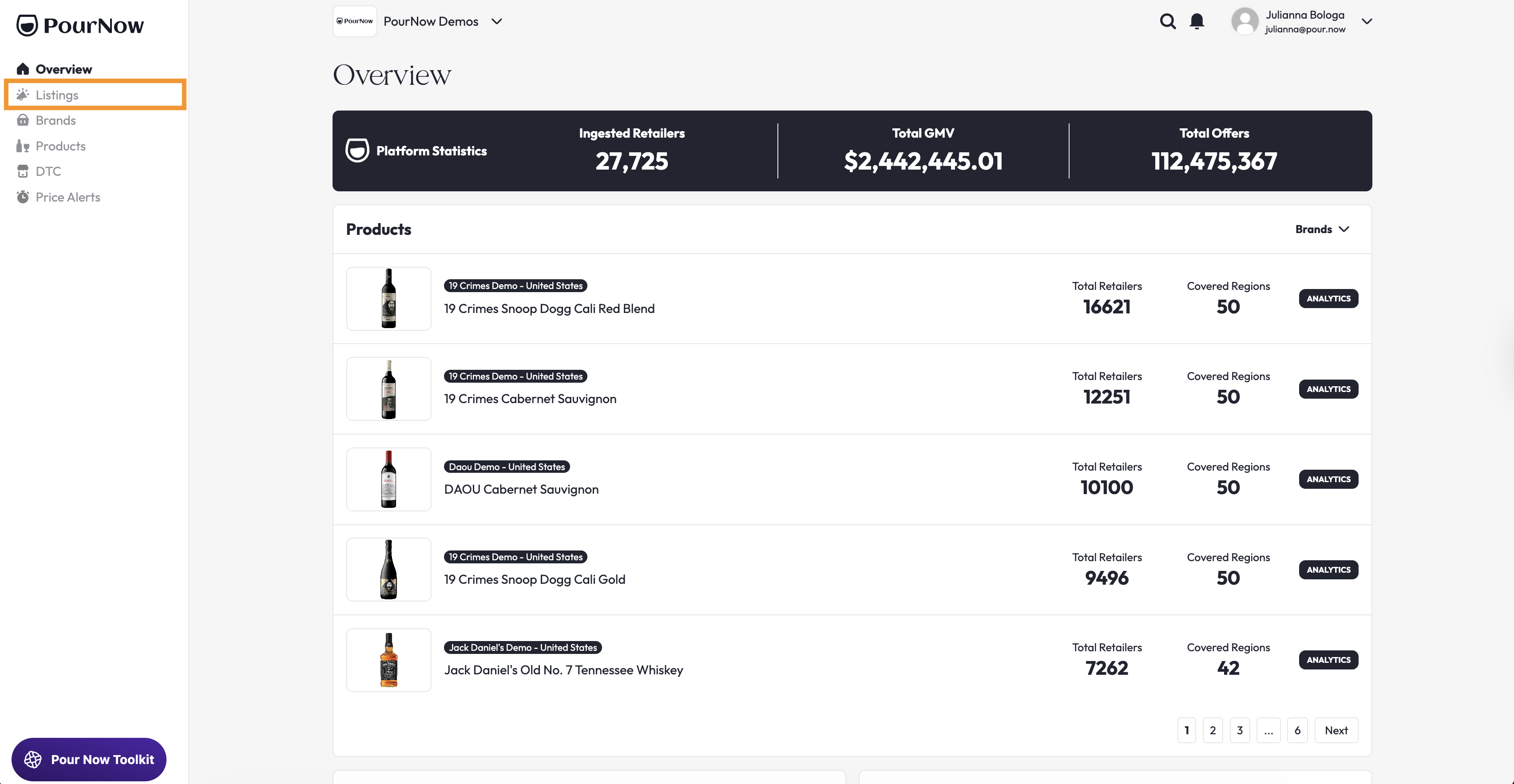
1. Navigate to the Listings page
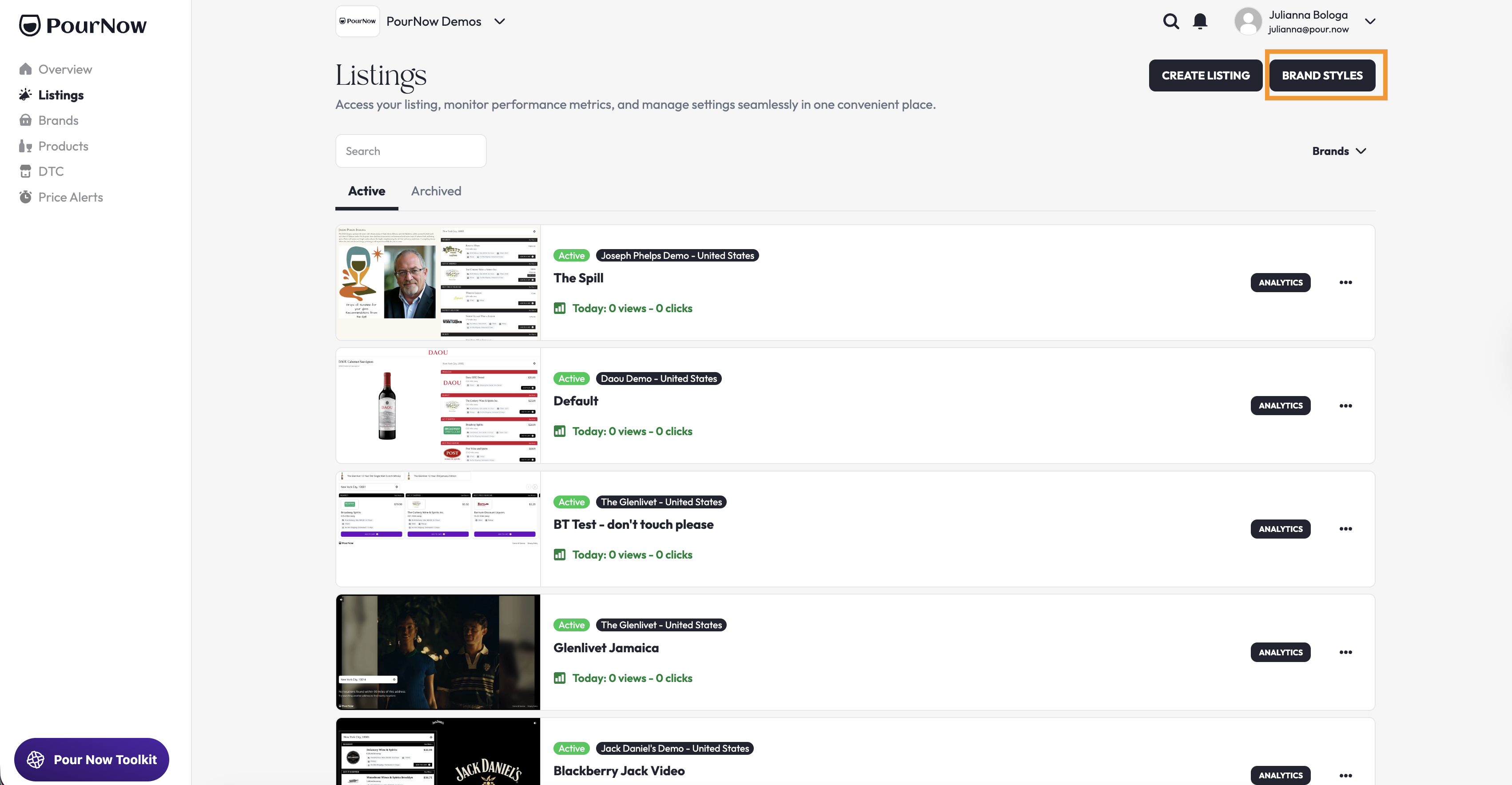
2. Click "Brand Styles", then select the brand you want to add or edit brand styles for
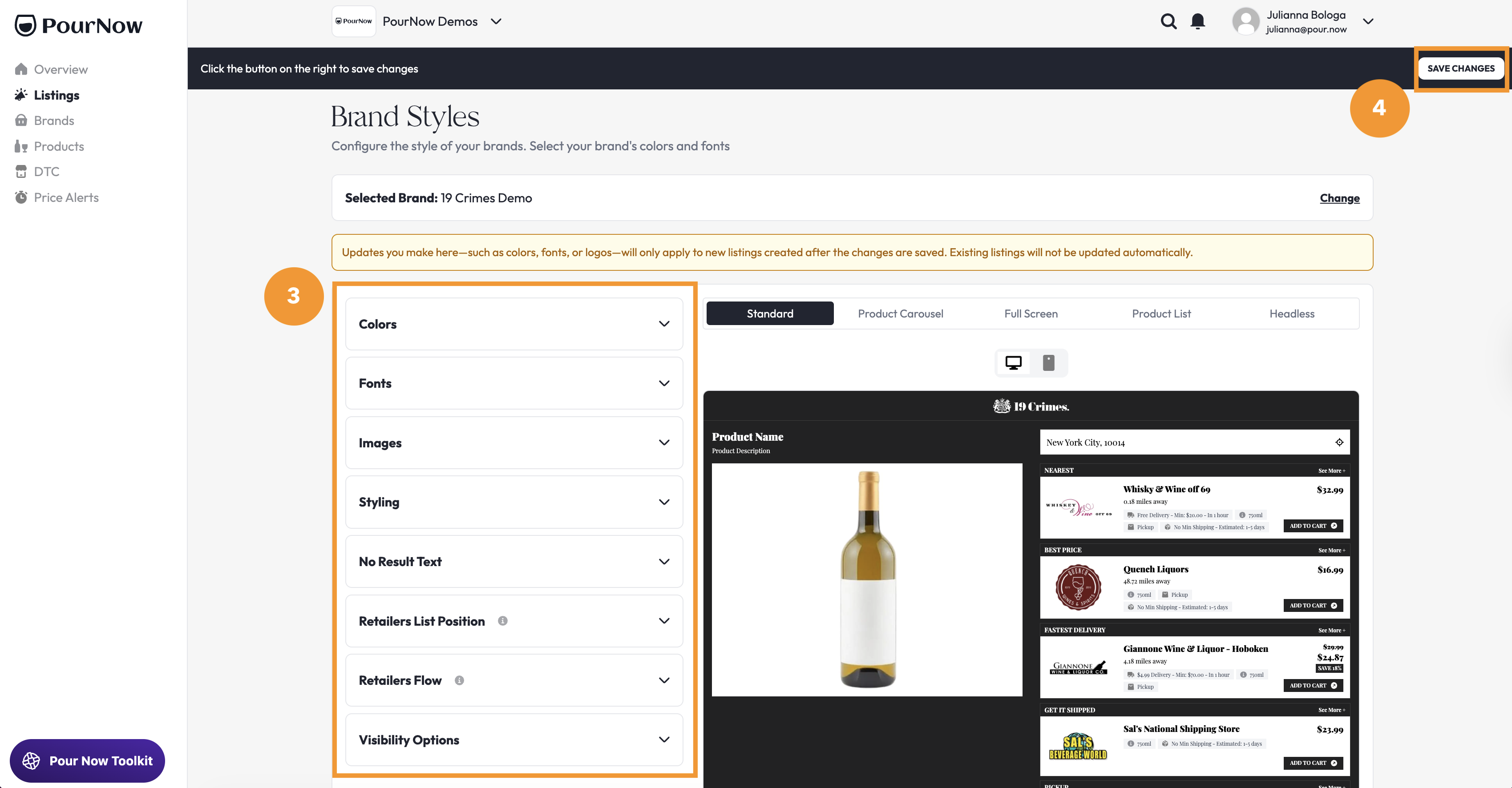
3. Adjust your brand style, standardizing colors, typography, logos, and more.
4. Click "Save Changes" in the top right corner of the screen