
Building Custom Retailer Buckets
Why create Custom Retailer Buckets?
A retailer bucket is a custom modality you build in Pour Now. A modality is a way your product is sold or displayed to shoppers, and a bucket is a modality you define yourself by grouping specific retailers you choose.
Imagine this: you're running an in-market campaign in NYC where you've gotten your products into 80 retailers' cold boxes. This is the classic "get it cold, get it sold" play. You build a Pour Now listing with matching creative and plan to run a small-dollar paid ad campaign, geo-targeting New York City.
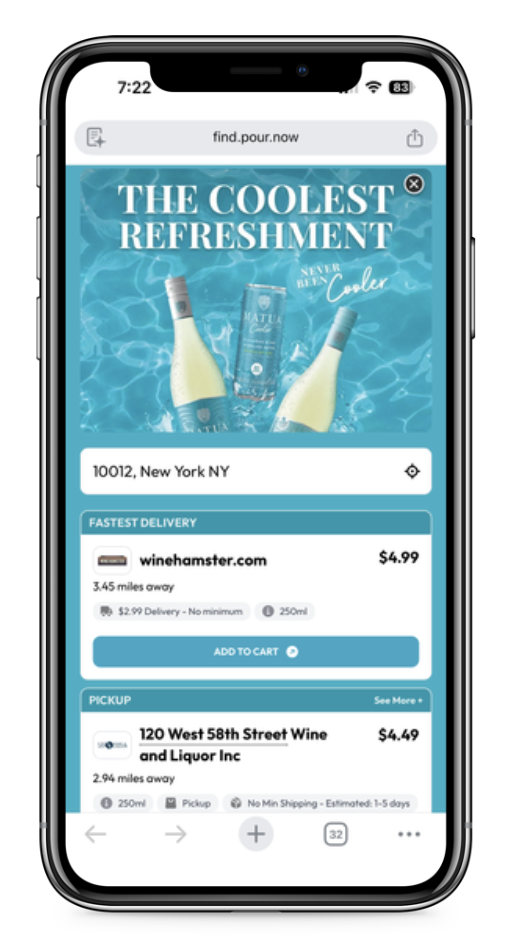
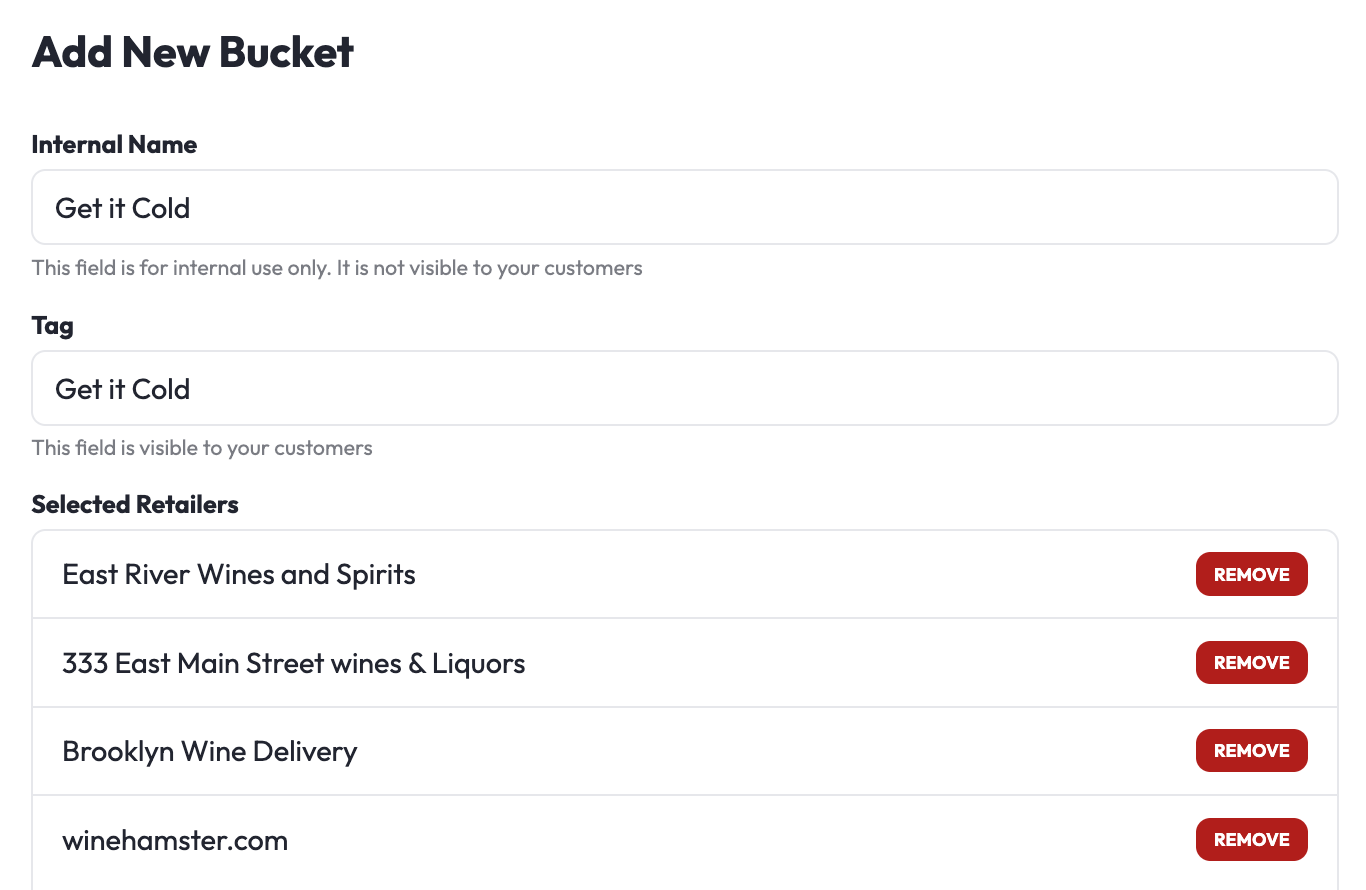
In support of those 80 retailers where you have the cold box programming, you create a custom modality in Pour Now called "Get it Cold" and put the 80 retailers in that bucket, so that as shoppers see the ad, those 80 retailers rotate through.
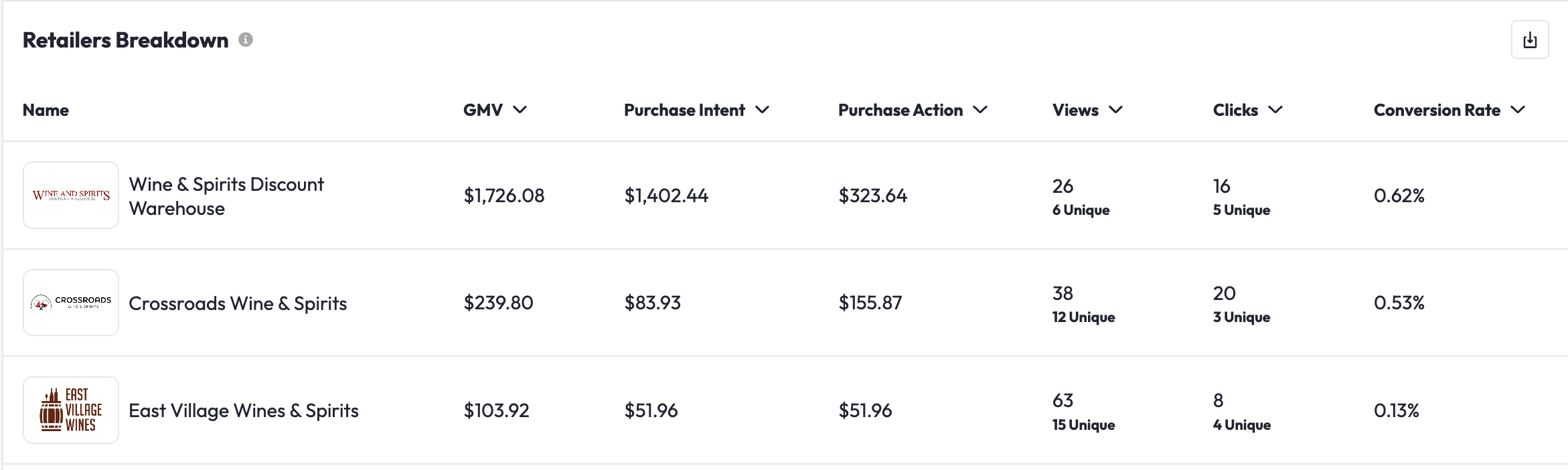
At the end of the campaign, you have directly attributable data that proves exactly how much GMV (gross merchandise value, the total sales value you drove) went to every retailer, supporting them in the market.
How to create custom retailer buckets:
- Navigate to Listings
- Click the three dots on the far right of the Listing card
- Select Products Config, then click Retailer Buckets
- Click Add New Bucket
- Name the Bucket. We recommend that you name the bucket based on an objective truth, for example, "Now Available" for new retailer placements, "Get it Cold" if your product is in the cold box, etc.
- Please do not name the custom retailer buckets "Our Favorite Retailers" or anything along those lines that might violate regulations
- Add retailers individually or by chain. You must add a minimum of three retailers or retailer chains to the bucket.