
How do I use Pour Now with my retail media campaigns?
TL;DR. Point your retail media and commerce media campaigns at a Pour Now Listing instead, and turn on our Retail Media Campaign template in the Listing's Advanced Settings (available only at the Enterprise tier). Shoppers see compliant retailer options, you keep brand control, and every click and purchase action is measured back to the campaign.
What this is
Retail media (ads bought through a retailer's media network) campaigns are built based on retailers' first-party audience targeting to drive a purchase. With off-platform channels, the weak link is usually the destination: a click-to-cart solution that drives to marketplaces or a static landing page that does not sell. A Pour Now Listing is a stronger destination. It gives shoppers a choice of in-stock retailers, supports the RMN campaign compliantly, and measures what happens.
How to set it up
- Create the Listing you want the campaign to land on. Style it to match the campaign in the Listing editor.
- In Advanced Settings, toggle "Retail Media Campaign Template" to ON. Select the retailer you are running the campaign with.
- Select the number of additional modalities you would like to appear in the Listing. The minimum is three retailer modalities.
- Customize the highlight color, which will anchor on the RMN retailer and change the color of the other modality cards when a shopper scrolls over them.
- Generate a Link for that Listing to use as the campaign destination. A Link works as a URL, an embed, or a QR code, and every Link is trackable like a bitly.
- Add UTM parameters to the Link so you can break performance out by platform, audience, and creative. See "UTMs for Pour Now."
- Use that Link as the click-through destination in your retail media or commerce media campaign, in place of a retailer PDP or a generic landing page.
- Watch it in your analytics. Page views, retailer clicks, conversion rate, and GMV all flow back so you can read the campaign's real downstream impact.
What to expect
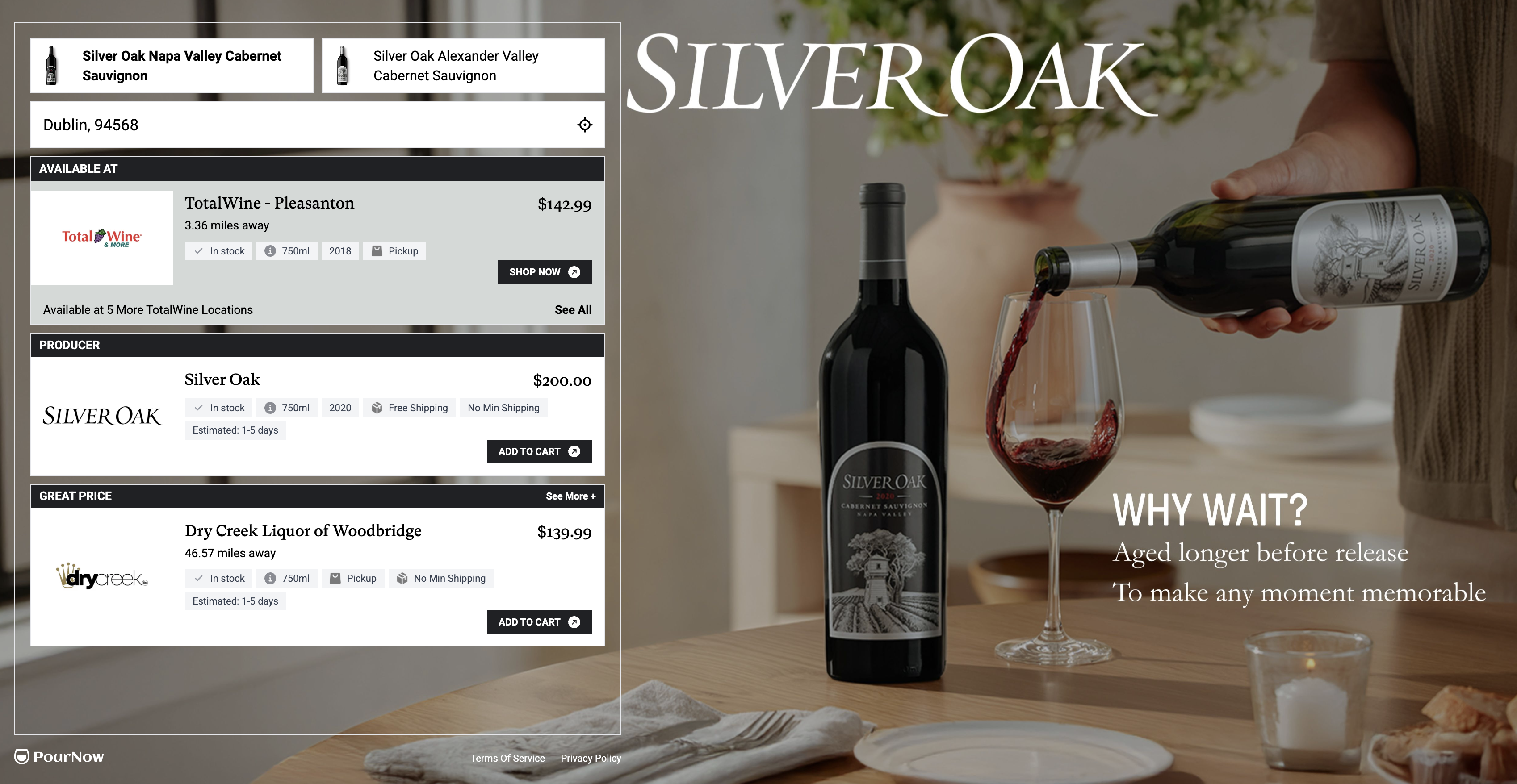
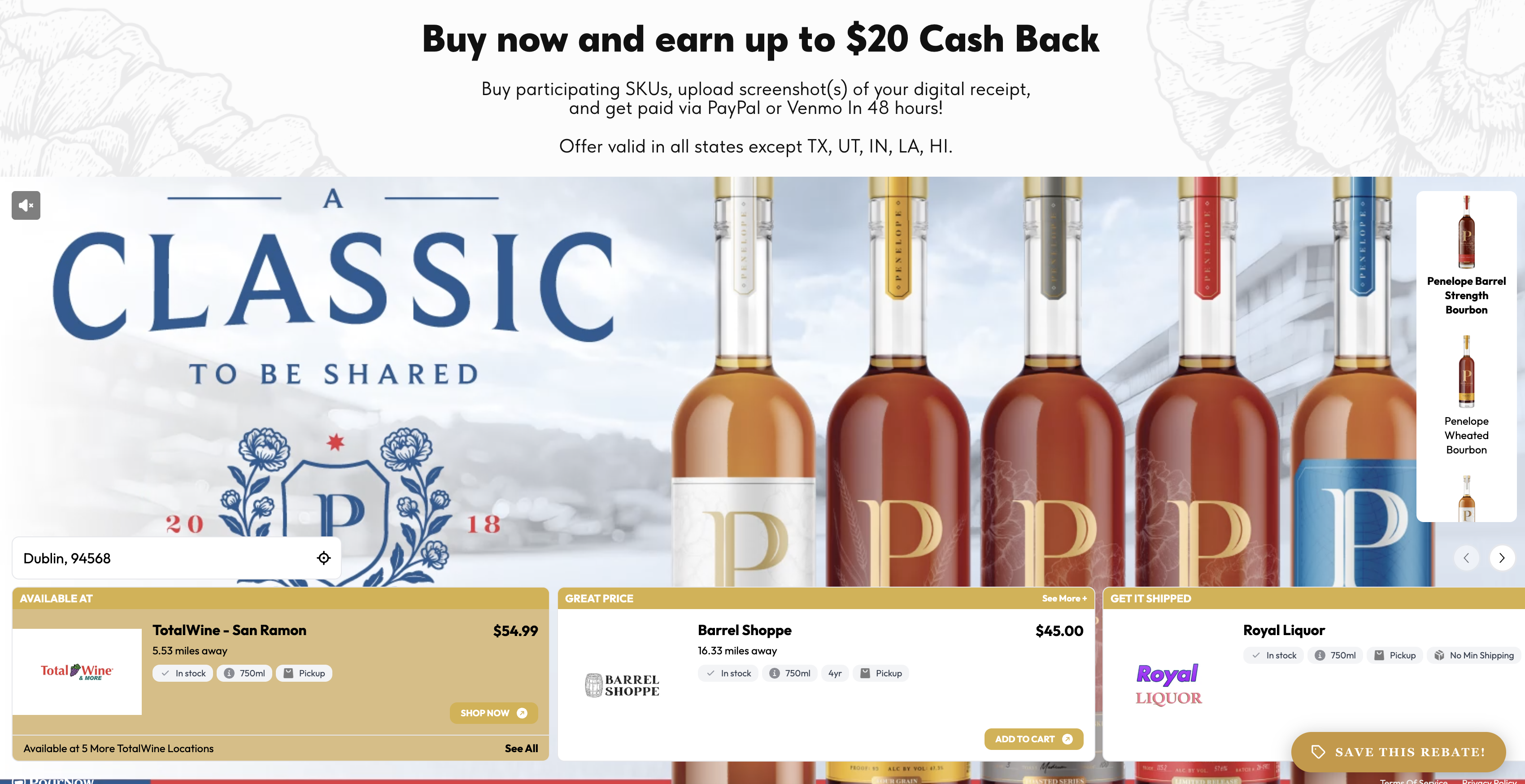
When it's working: a shopper who clicks your ad lands on a live Listing with the RMN template enabled, like below:
Need a hand?
Ask Pour, the assistant in your dashboard, or email help@pour.now.