
How do I add new users to Pour Now?
Ensure that all the most important people have access to your Pour Now account!
Inviting your team members, web developers, agency partners, and vendors to Pour Now is simple.
1. Navigate to Users and Access
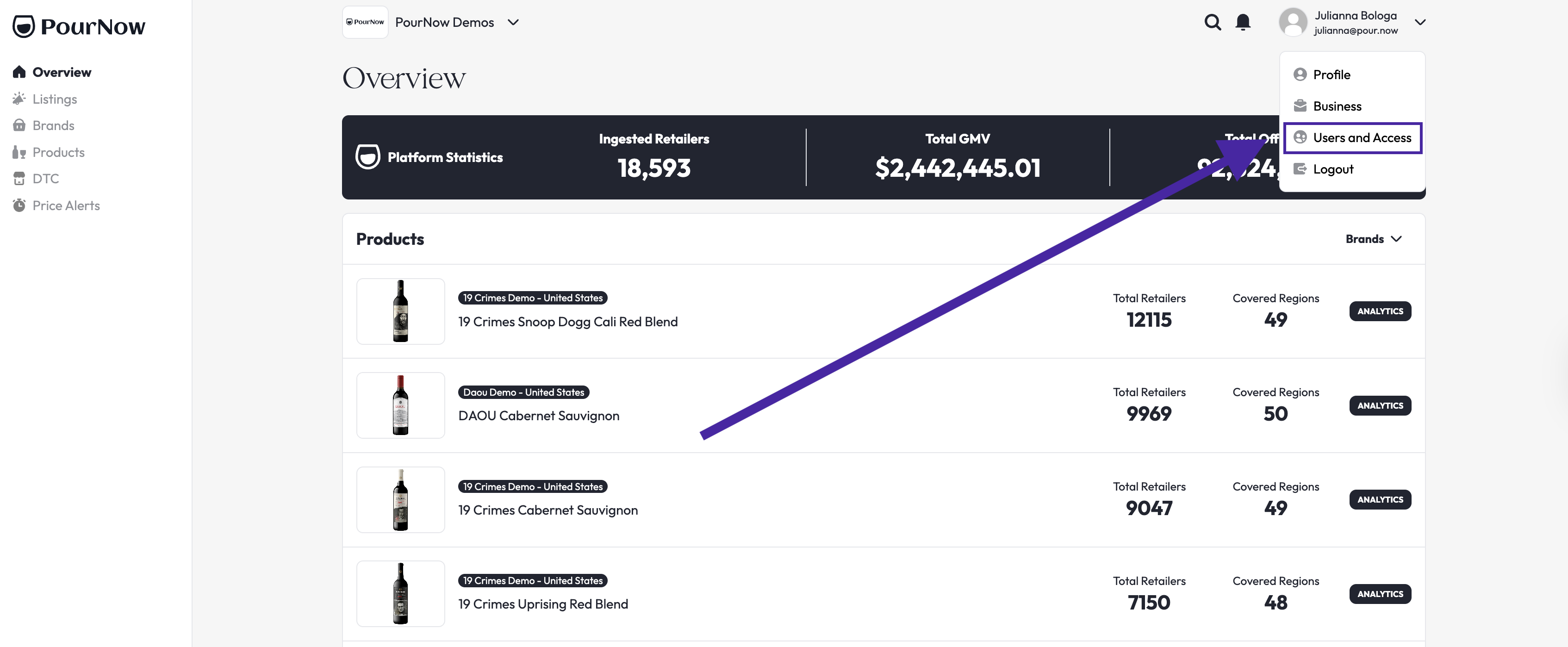
2. Then click Add User

Tip: From here, you can also manage existing users and their permissions.
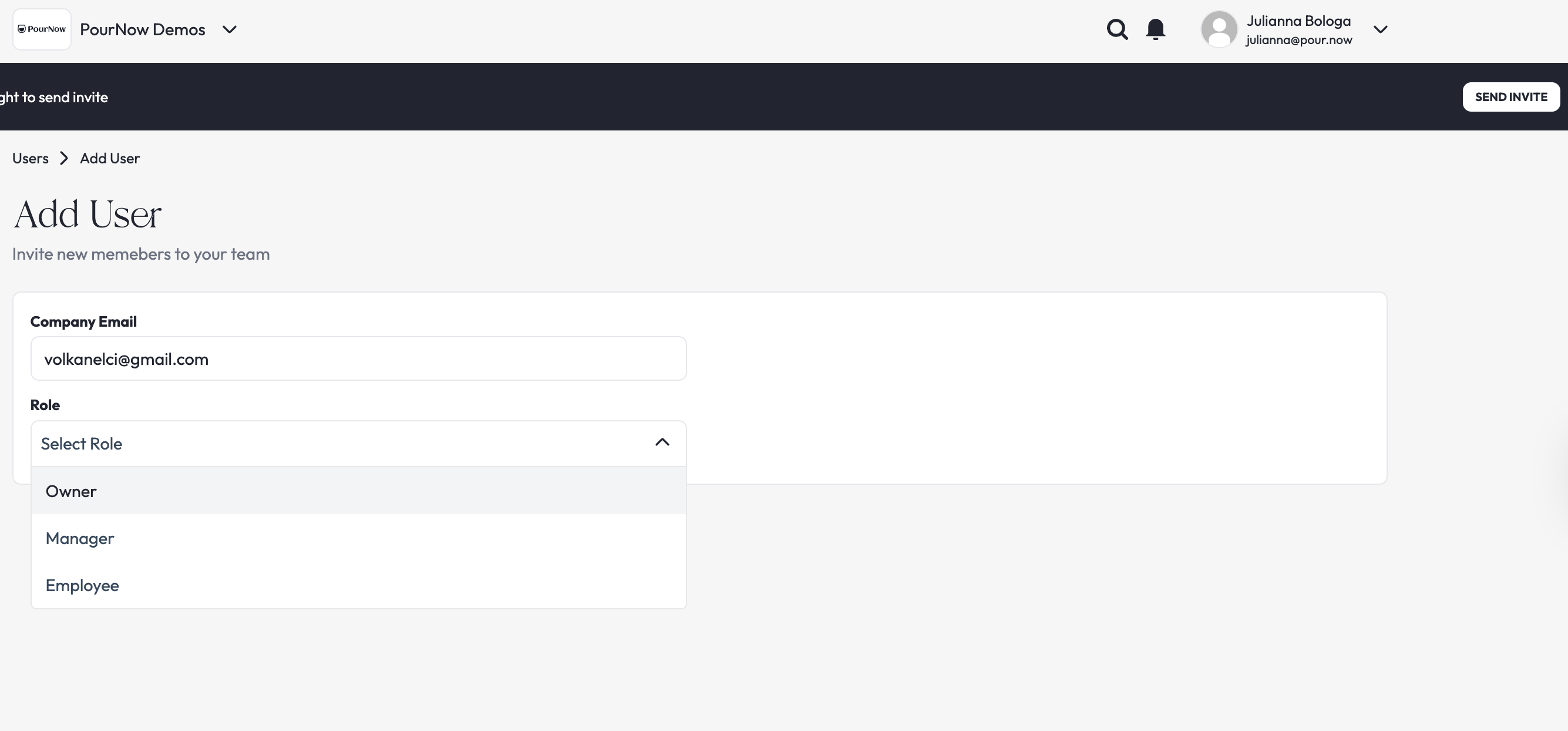
3. Now choose the access level for the new user
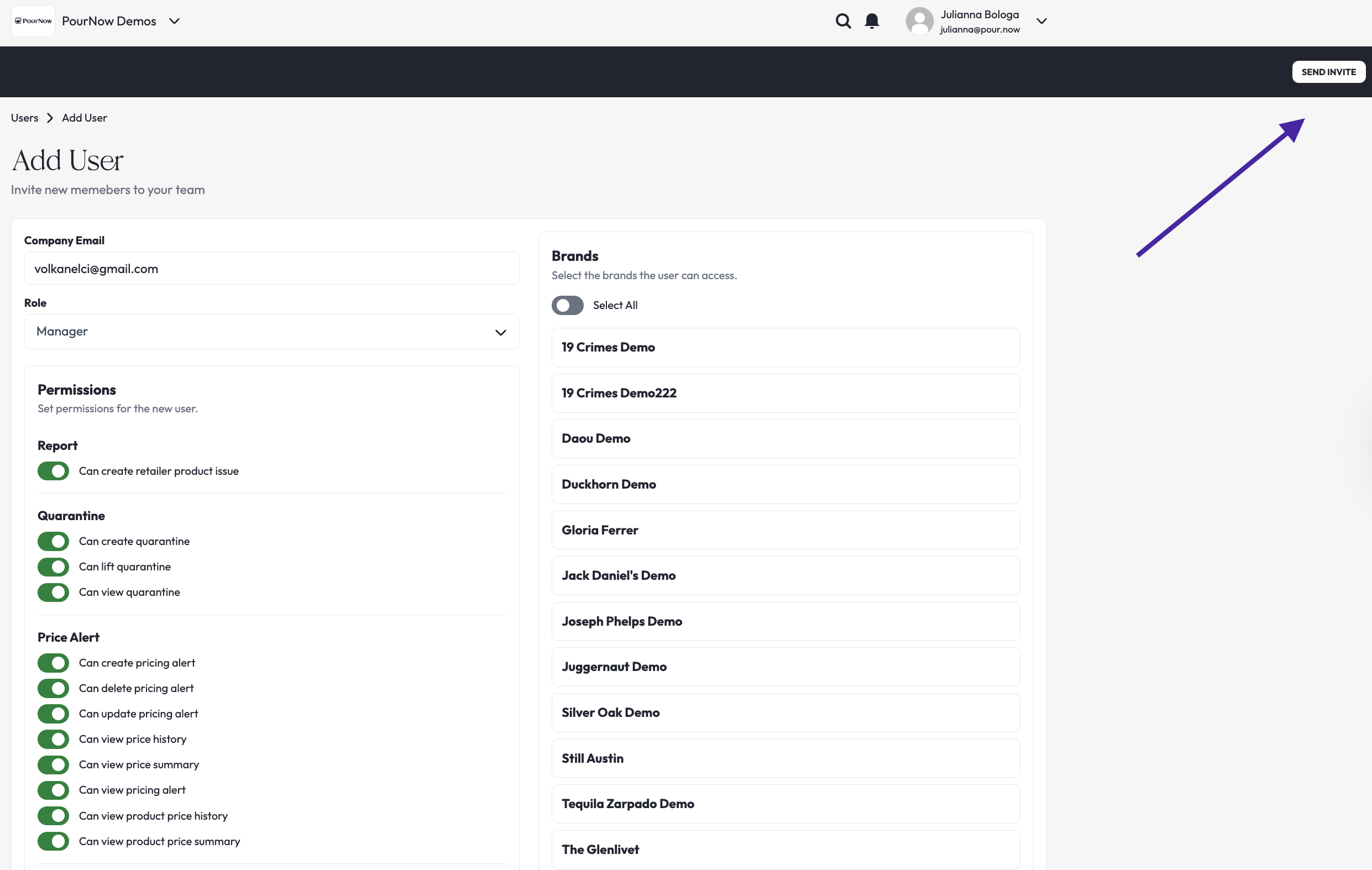
When you add new users, you can limit what they can do within the platform. We see lots of brands adding agencies, contractors, sales staff, analysts, and more because there is so much data and usage in the system.
- Owners can access everything, across all brands
- Managers' access can be customized for specific brands
- Employees' access can also be customized for a set of brands, with narrower permissions than a Manager
Related: