
What is a Link, and when do I use a URL, embed, or QR?
TL;DR. A Link is how you put a Listing out into the world, and it tracks every shopper who uses it. Each Link comes in three forms: a URL to paste in posts and bios, an embed for website pages, and a QR code for print and in person. Use a URL for quick spots, an embed for your site, and a QR for anything scannable. Every Link measures what it drove.
What a Link is
A Listing is the page where your shopper picks a real store and buys. A Link connects that Listing to the places you market, making it reusable across touchpoints, and it measures what happens next. Every Link tracks on its own, so you can see which post, ad, page, or sign sent a shopper to buy.
Why it matters
Pour Now's value is capturing shopper demand everywhere you market, and Links are how you do it. Because each Link is separate and tracked, you can tell your where-to-buy page apart from your Instagram bio apart from a specific ad, and put your effort where the sales are.
The three kinds of Link
- URL. A web address you copy and paste. Best as the destination for any touchpoint where you ask yourself "where should I drive this to?": social bios, scheduled posts, email, paid ads, and more.
- Embed. A short piece of code that places the Listing right on your website, so shoppers buy without leaving the page. Best for your where-to-buy page, product pages, and partner pages. If someone manages your site, simply invite them to the platform or hand them the code (it will take them five minutes to get you live).
- QR code. A scannable image. Best for print, CTV, and out-of-home (OOH): neckers, magazine ads, signs, CTV ads, tasting-room postcards, even your label.
Where to find your Links
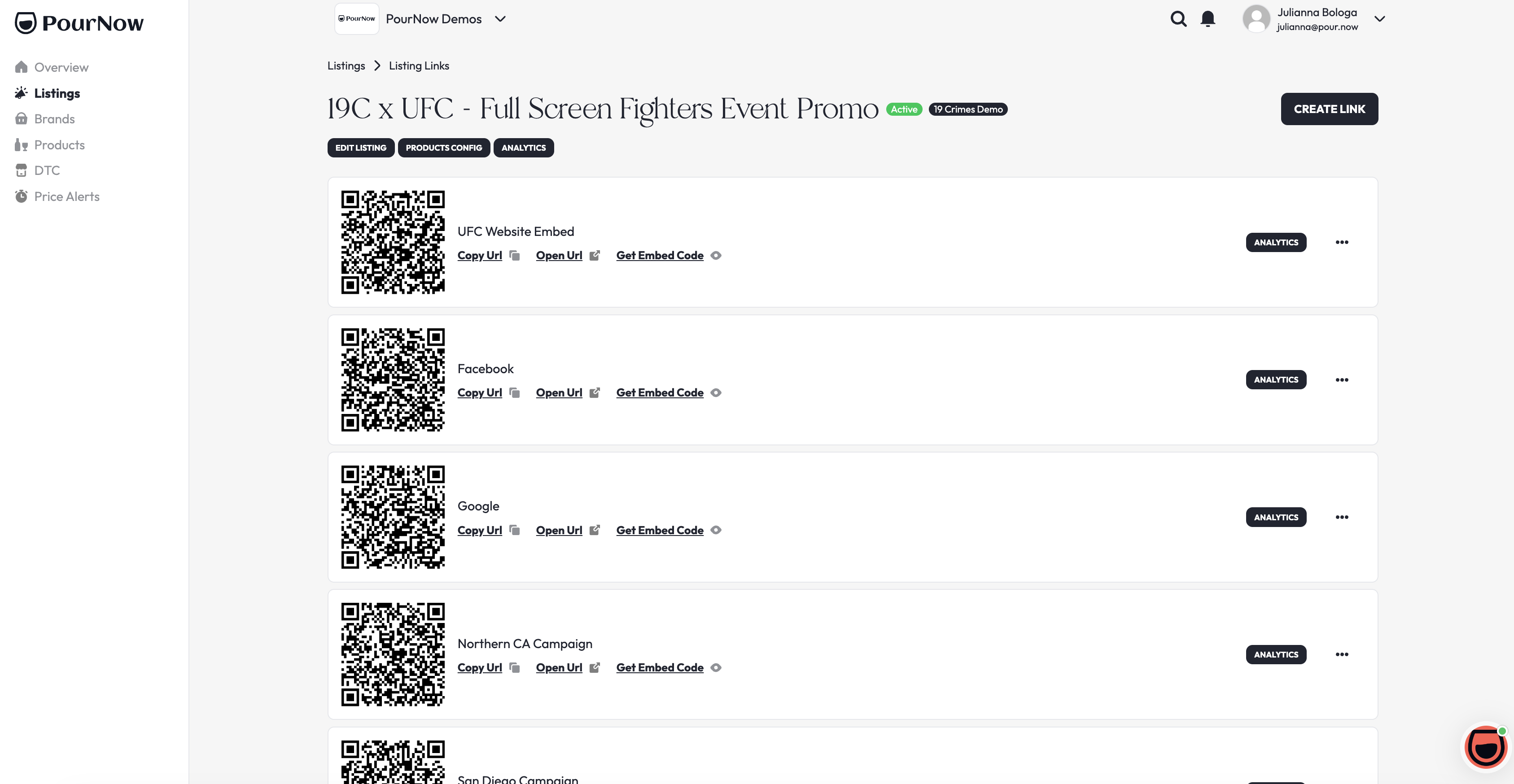
Open Listings, click the three dots on the Listing card, and click Links. Use Copy URL for a URL, Get Embed Code for an embed, and the QR download for a QR. You can make more than one Link per Listing, so give each spot its own.
How to know it worked
When it's working: a shopper who uses your Link lands on a live, in-stock Listing and can buy from a retailers, and the click shows up in your Analytics against that Link.
Need a hand?
Ask Pour, the assistant in the corner of your dashboard, or open a help ticket and the team will jump in.