
Why omnichannel shopping paths matter
TL;DR. Your Add to cart button only sells to shoppers who can and want to buy direct. Put a second lane right next to it that routes everyone else to a retailer, and you catch the sales your cart alone would miss. Pick a framing pattern, grab your Pour Now listing URL, and hand the build spec to your developer or a coding agent.
What an omnichannel buy path actually is
An omnichannel buy path is a second way to buy sitting right next to your Add to cart button on the same product page. Your direct cart stays exactly where it is. Alongside it, a "buy near you" lane sends shoppers to retailers who can fulfill the order through your Pour Now listing, whether that's pickup, same-day delivery, or a local store. Pour Now's job is to carry that shopper all the way to a purchase at an e-com enabled retailer and measure it back to you, so the second lane is a real path to a sale, not a store locator that drops people at a map.
Why one buy button leaves money on the table
Selling direct is great, until you hit the two walls every alcbev brand hits. First, you can't ship everywhere, all the time. State rules limit where direct-to-consumer alcohol can go, and summer heat holds or seasonal cutoffs pause shipping to places you normally cover. A shopper in a state you can't reach adds to cart and leaves with nothing. Second, a large share of shoppers will never buy direct in the first place. They already have a cart at a retailer they trust, they want it today, or they simply prefer picking it up. Narrowcasting to DTC alone means those shoppers, often the majority, quietly bounce.
A side-by-side path fixes both. The shopper who can and wants to buy direct still does. Everyone else gets a route to a place that can actually complete the order. Same traffic, same page, more of it converting. We enable this within your Listings already, but the smartest brands create omnichannel paths to purchase from their own websites, too.
Here's where you can explore interactive versions of each omnichannel path: https://launch.pour.now/omnichannelbt.html
How to add the side-by-side lane
You don't need to brief a whole dev team for this. You make three decisions, then hand a self-contained spec to whoever builds on your store (your developer, or a coding agent like Claude Code).
- Get your Pour Now listing URL. This is the destination the second lane routes to. If you don't have one yet, create a listing first, then come back. The listing URL is the one prerequisite for everything below.
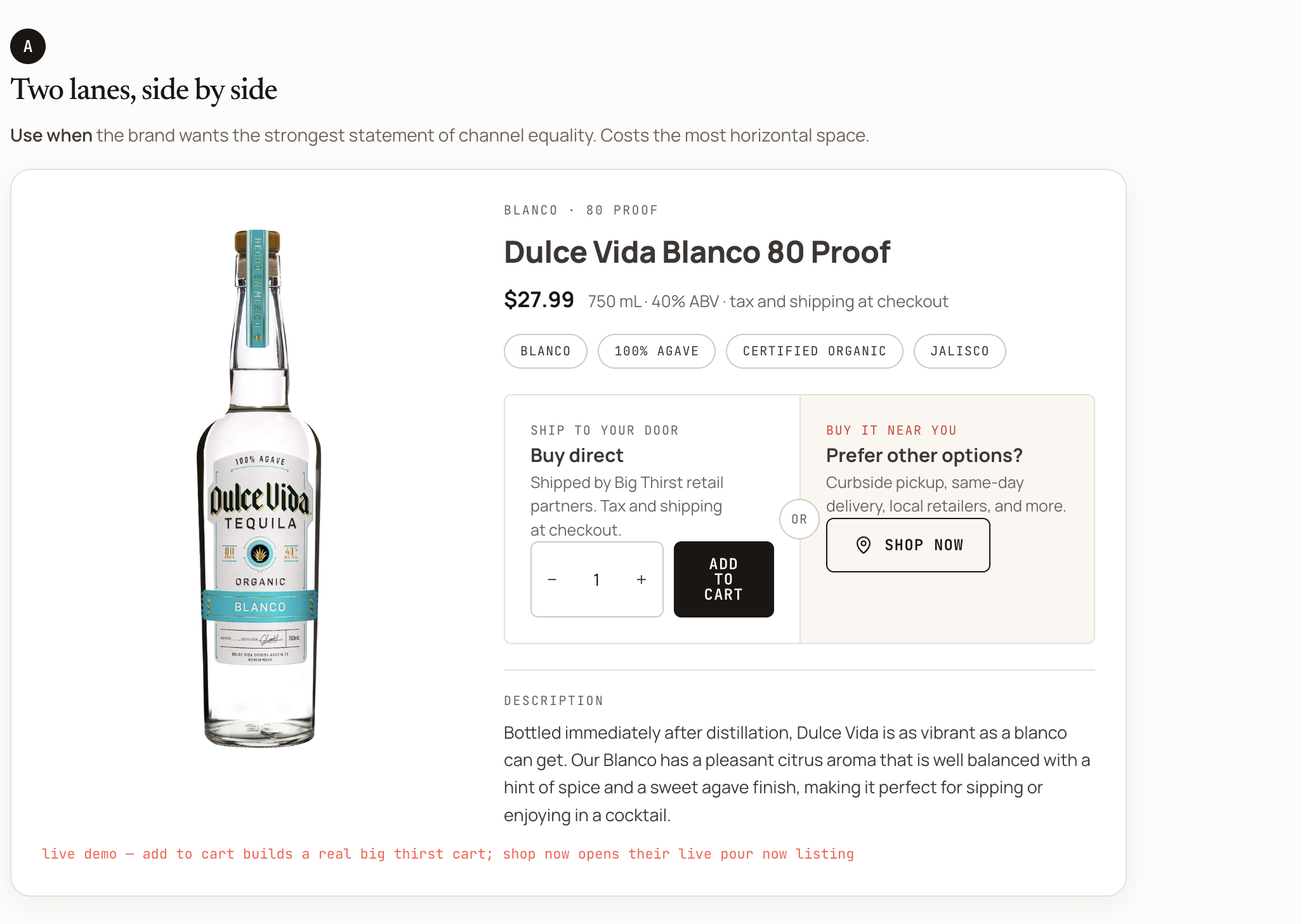
- Pick your framing pattern. There are four ways to frame the choice on the page. For the strongest, most measurable version of "two ways to buy," choose the side-by-side pattern.
- Two lanes, side by side (A): Buy direct and buy near you sit next to each other as equals. Best when you want the clearest statement that both channels matter, and you have the horizontal room for it.
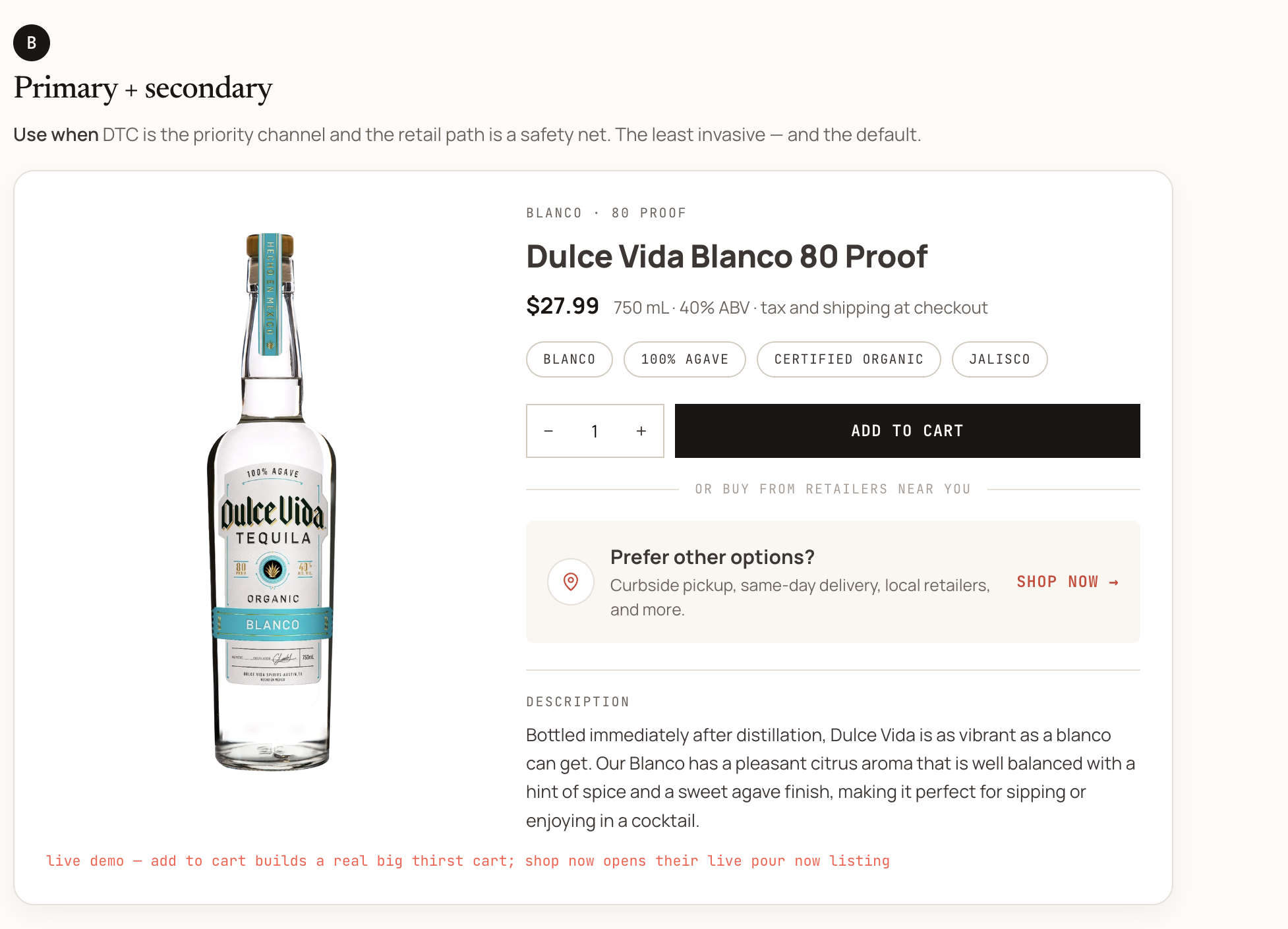
- Primary and secondary (B): Add to cart leads, with a quieter "or buy from retailers near you" beneath it. The least invasive option and a safe default if direct is your priority channel.
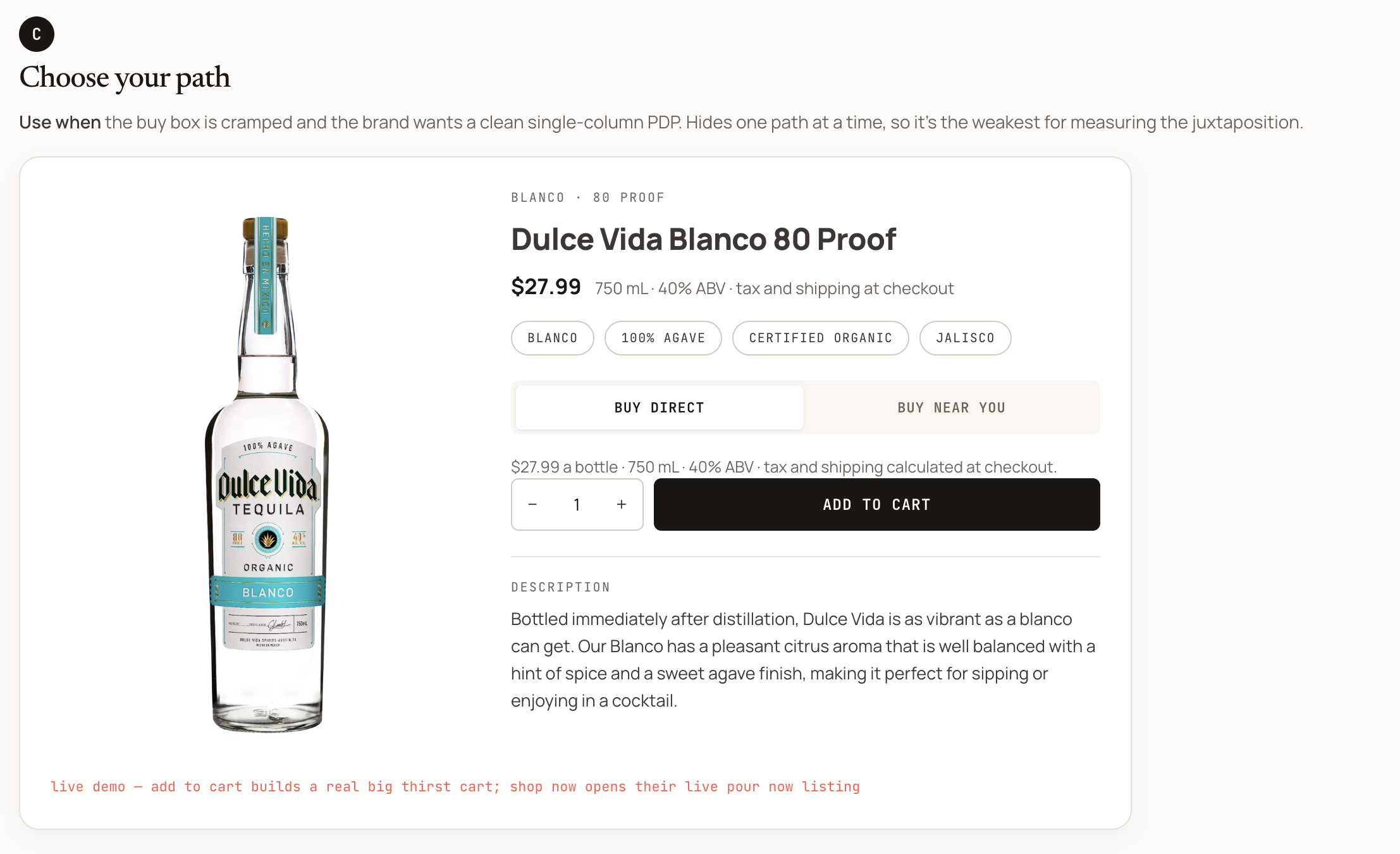
- Choose your path (C): A toggle that shows one lane at a time. Good for a cramped, single-column page, though it's the weakest for measuring the two paths against each other.
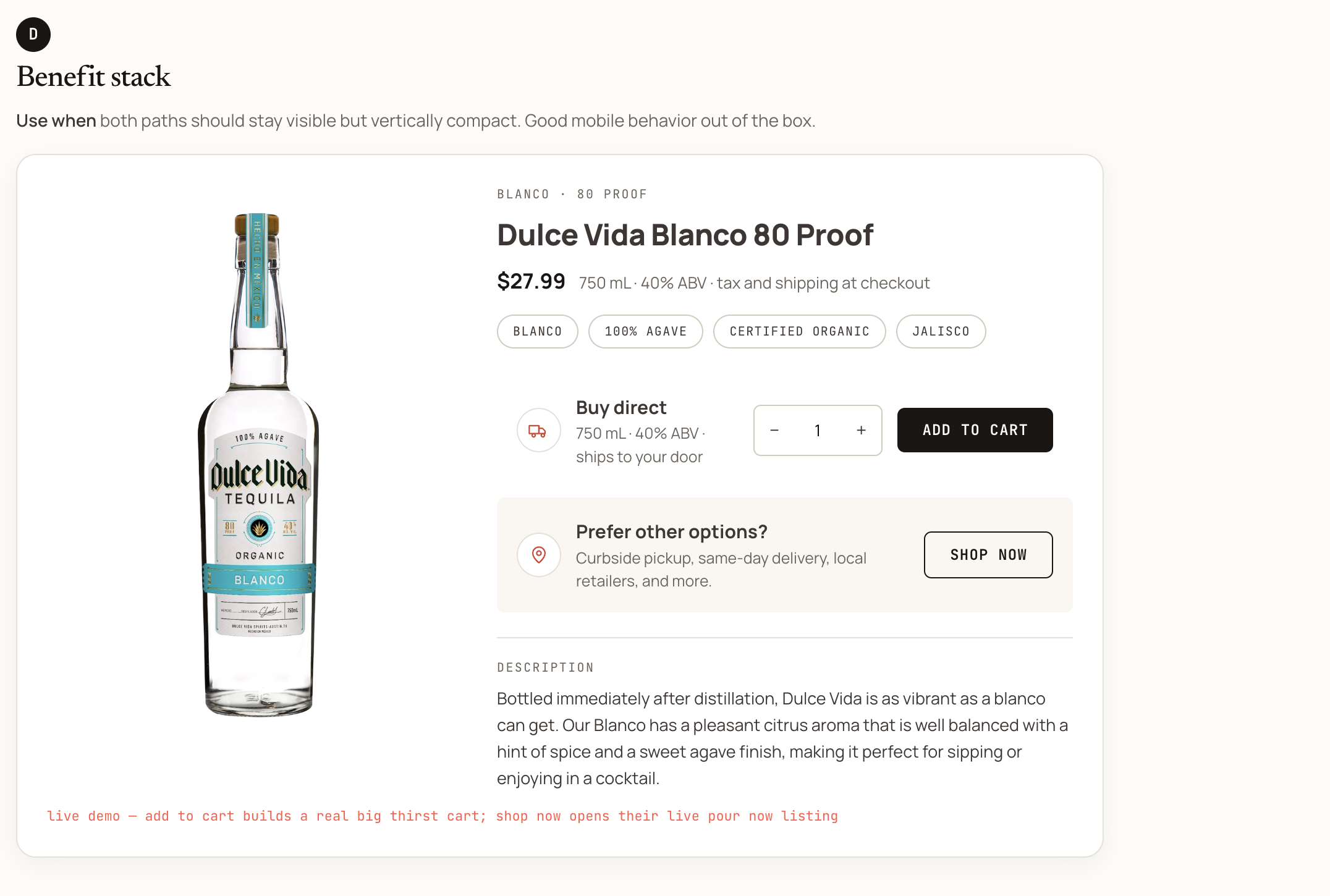
- Benefit stack (D): Both paths stay visible but stacked vertically, with good mobile behavior out of the box.
- Two lanes, side by side (A): Buy direct and buy near you sit next to each other as equals. Best when you want the clearest statement that both channels matter, and you have the horizontal room for it.
- Hand off the build. Give your developer or coding agent three things: your platform (Shopify, Commerce7, WooCommerce, or Offset), the pattern you chose (A through D), and your Pour Now listing URL. Point them at the agent-ready spec, which is self-contained and includes the copy, the platform playbook, and an acceptance checklist so the lane matches your store's own styling and the attribution is wired correctly.
How to know it worked (and what to do if it didn't)
When it's working: your product page shows both lanes. Add to cart still drops the bottle into your own cart exactly as before. The second lane, "shop now" or "buy near you," opens a retailer path where the shopper lands on a live, in-stock product page they can buy right now, not a 404, a sold-out marketplace listing, or a competitor's product. On mobile, both lanes stay usable without squeezing your buy box. And because the path is measured, the resulting sales show up in your reporting instead of vanishing after the click.
If something's off:
- The second lane goes to a dead end or the wrong product: double-check the listing URL you handed off. Nine times out of ten, the wrong or an outdated listing URL got pasted into the build.
- The lane doesn't match your store's look: the spec is built to inherit your theme's styling. If it looks off, have your developer re-run the acceptance checklist in the spec, which catches styling mismatches.
- It's crowding the buy box on mobile: switch from the side-by-side pattern to the benefit stack (D), which is built to stay compact on small screens.
Need a hand?
Ask Pour, the assistant in the platform, or email us at help@pour.now, and the team will jump in. If you're deciding which framing pattern fits your product page, send us a link to the page, and we'll give you a recommendation.