
Creating and Editing Listings
Where every click leads
Your Pour Now Listing is the shoppable final-mile for your products. Shoppers see in-stock retailers near them, with price and availability, before they click and buy. For years, alcbev brands relied on static maps or third-party sites that ended the shopper's journey instead of finishing it. A Listing gets your shopper to the cart.
Every Listing is brand-controlled and fully trackable, so you can measure the retail sales your marketing drives. Brands get the data, control, and consistency that has been hard to come by: better shopper experiences, stronger retailer relationships, and marketing you can measure at the shelf.
Note: Set your Brand Styles before you create Listings. Brand styles are not applied retroactively, so a Listing you build today will not pick up style changes you make later.
How to: Create a Listing
Pour Now makes it simple for any brand to turn its online presence into a dynamic, flexible sales engine. With our platform, you can create as many unique Listings as you need, each tailored to different campaigns, seasons, or marketing themes. Whether you’re running a holiday promotion, testing regional markets, or highlighting a new product or celebrity endorsement, Pour Now gives you the tools to do it effortlessly.
Each Listing is not only reusable and flexible, but also fully trackable, so you can measure success across all your marketing efforts. The listing creation process is designed for speed, creativity, and flexibility:
1. Navigate to the Listings page, click "Create Listing", and select the relevant brand
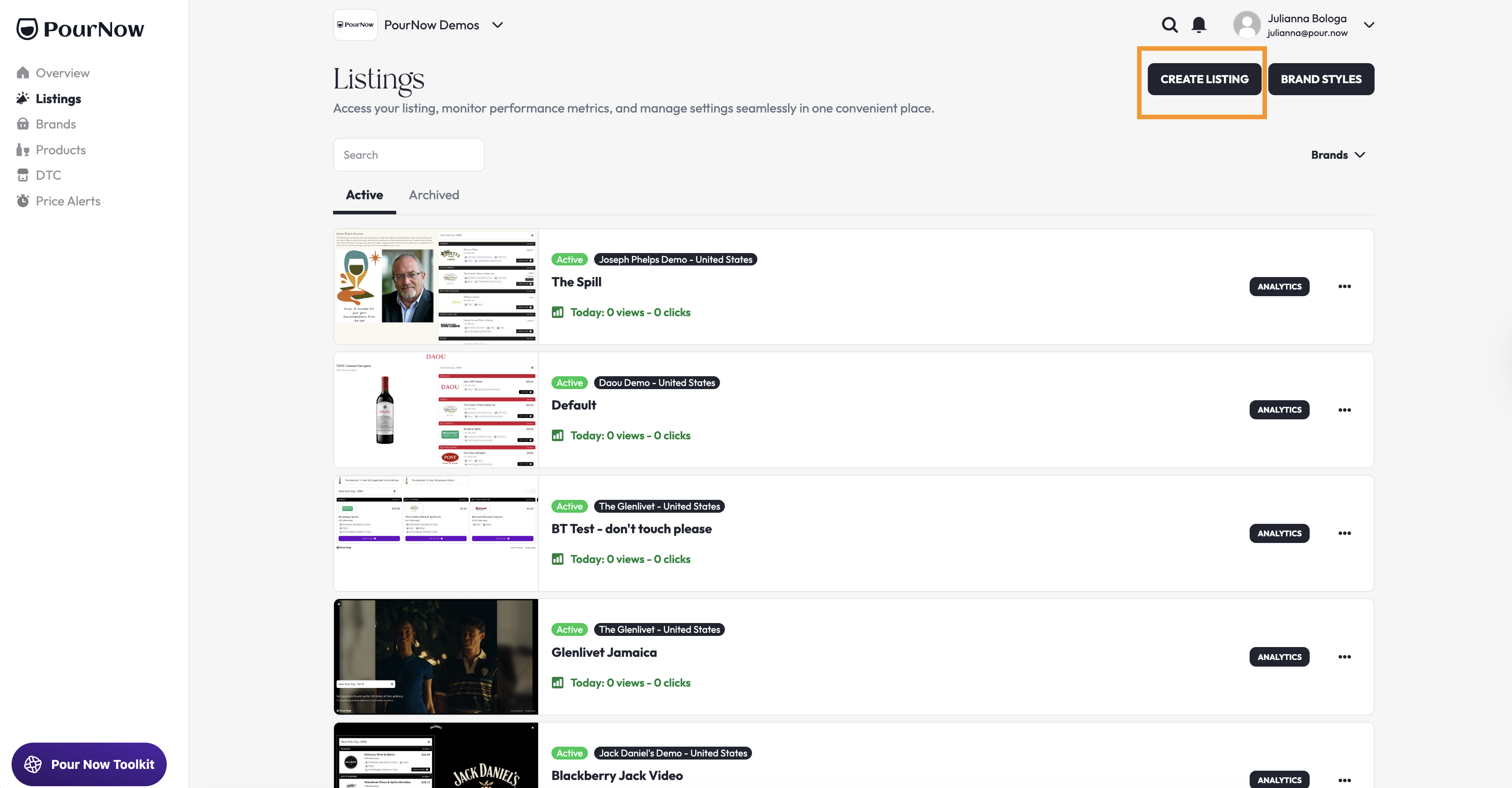
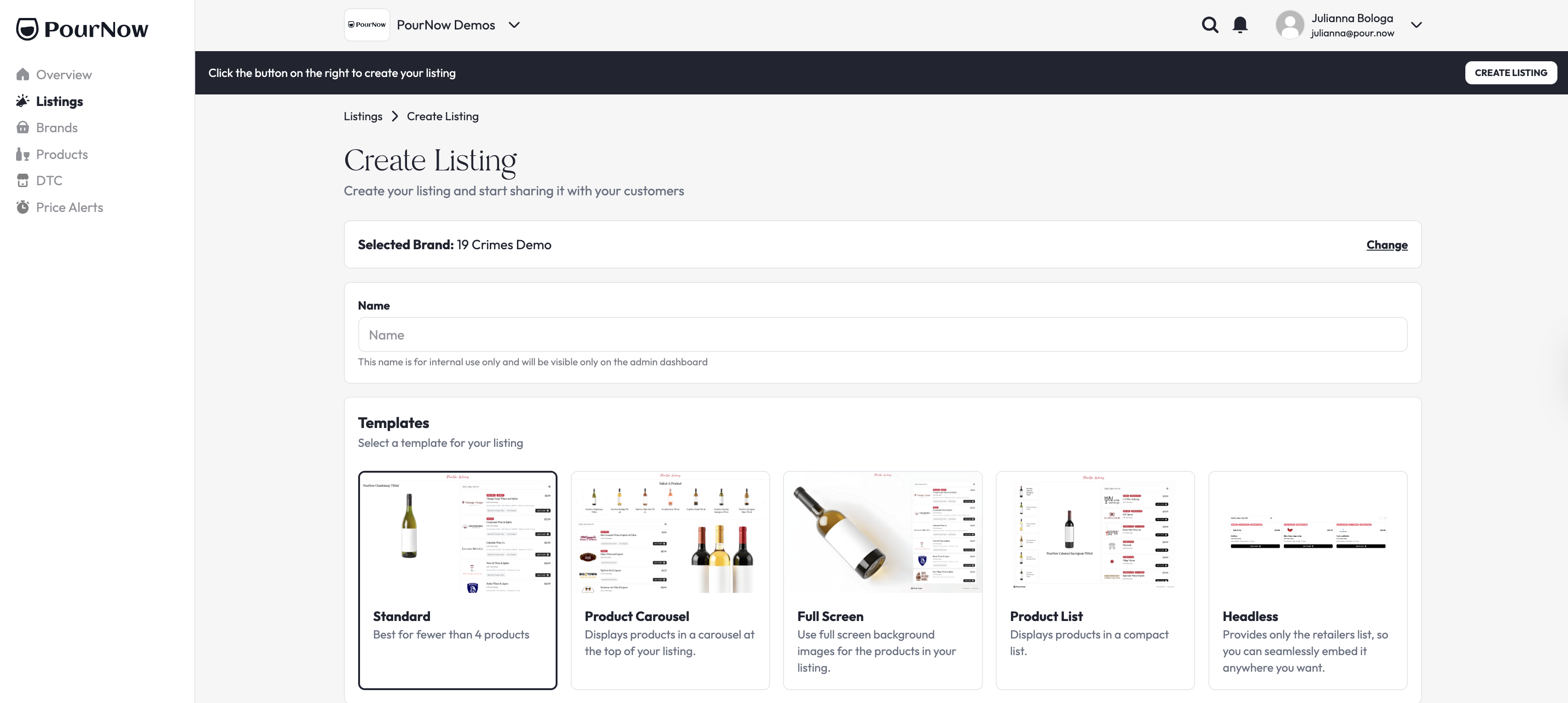
2. You'll begin by naming your Listing and selecting one of our five templates.
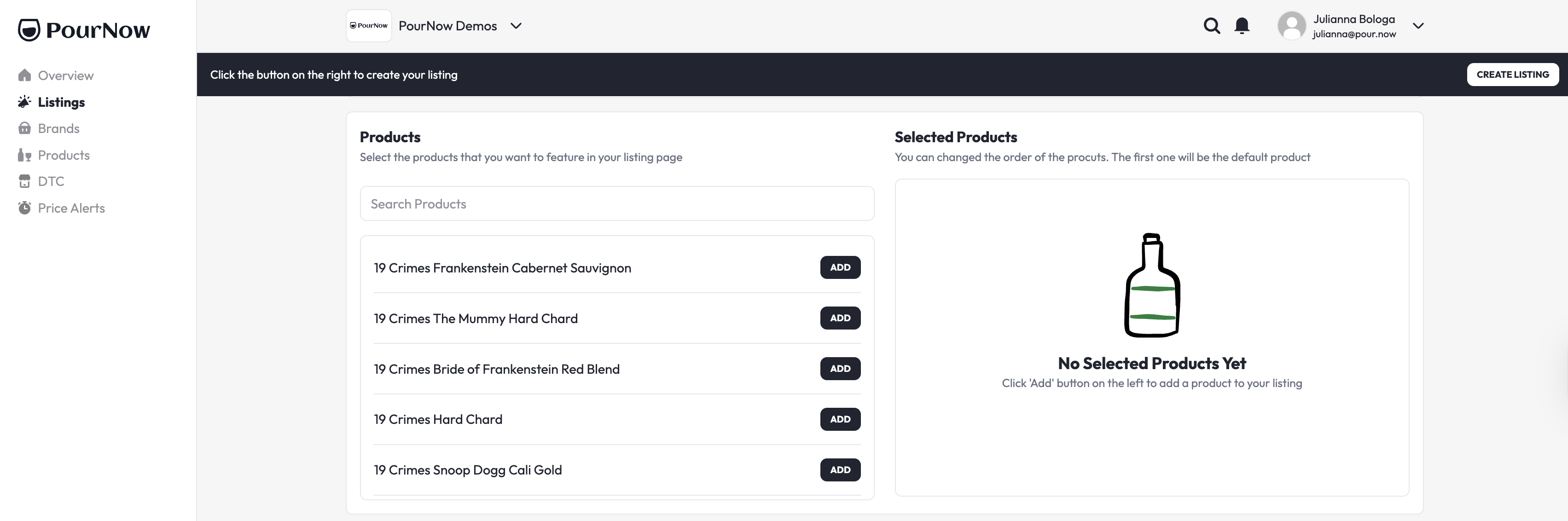
3. Then you'll add products and customize the appearance of your Listing.
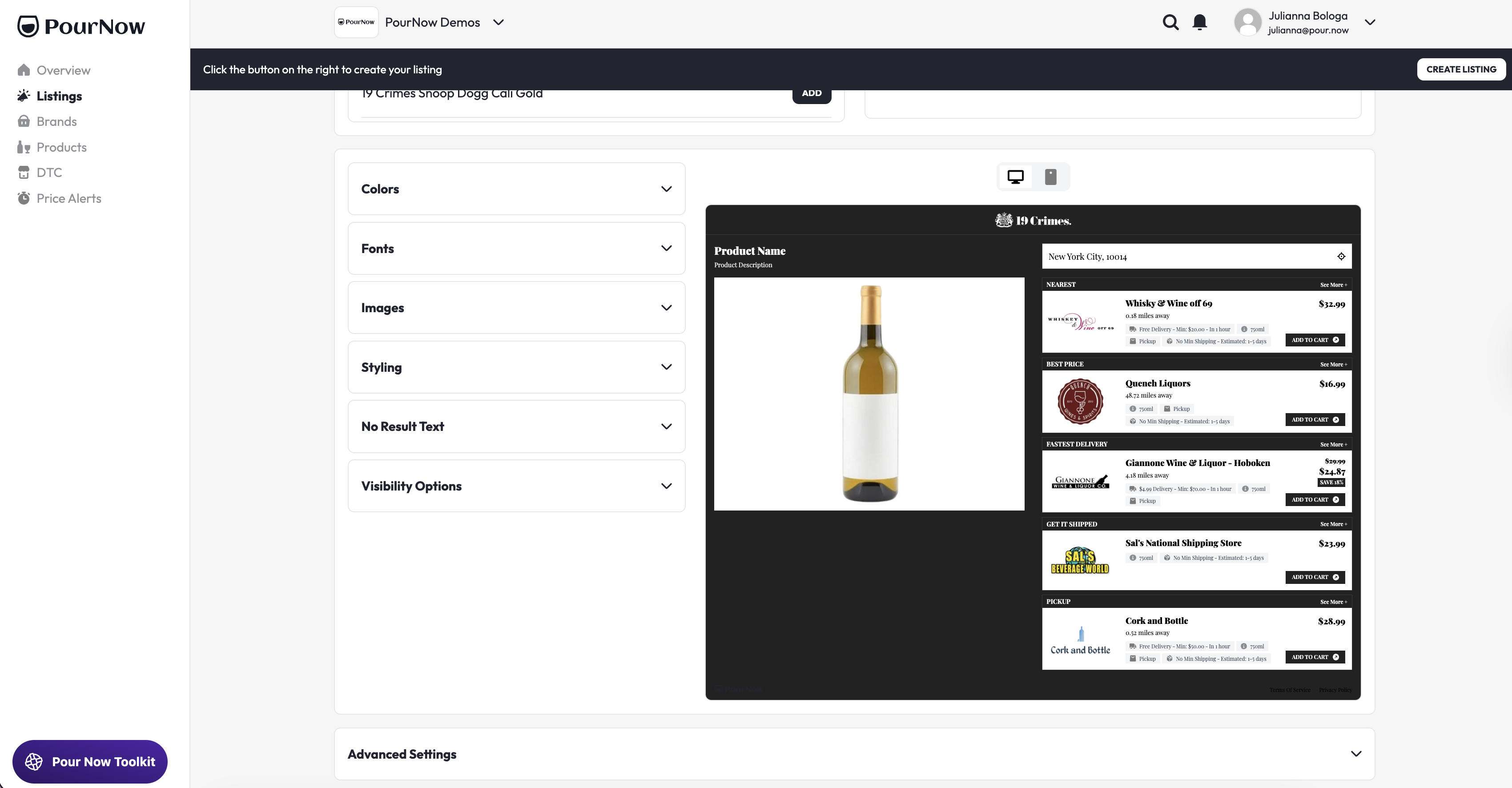
4. You can also reorder the Modalities (the buy options shown to a shopper, such as Great Price or Nearby) to fit your preferences in Advanced Settings (Optional for Small Business+)
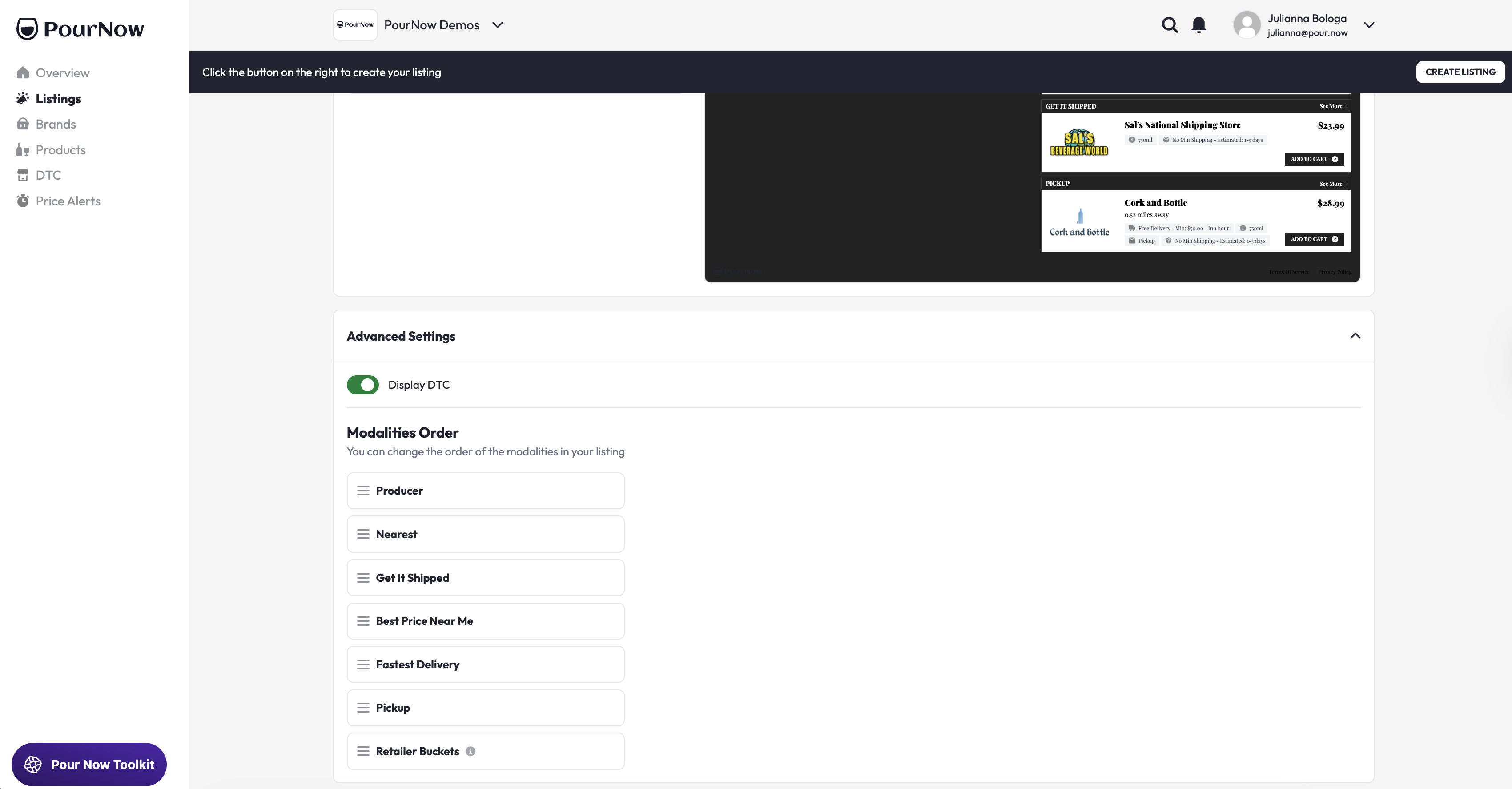
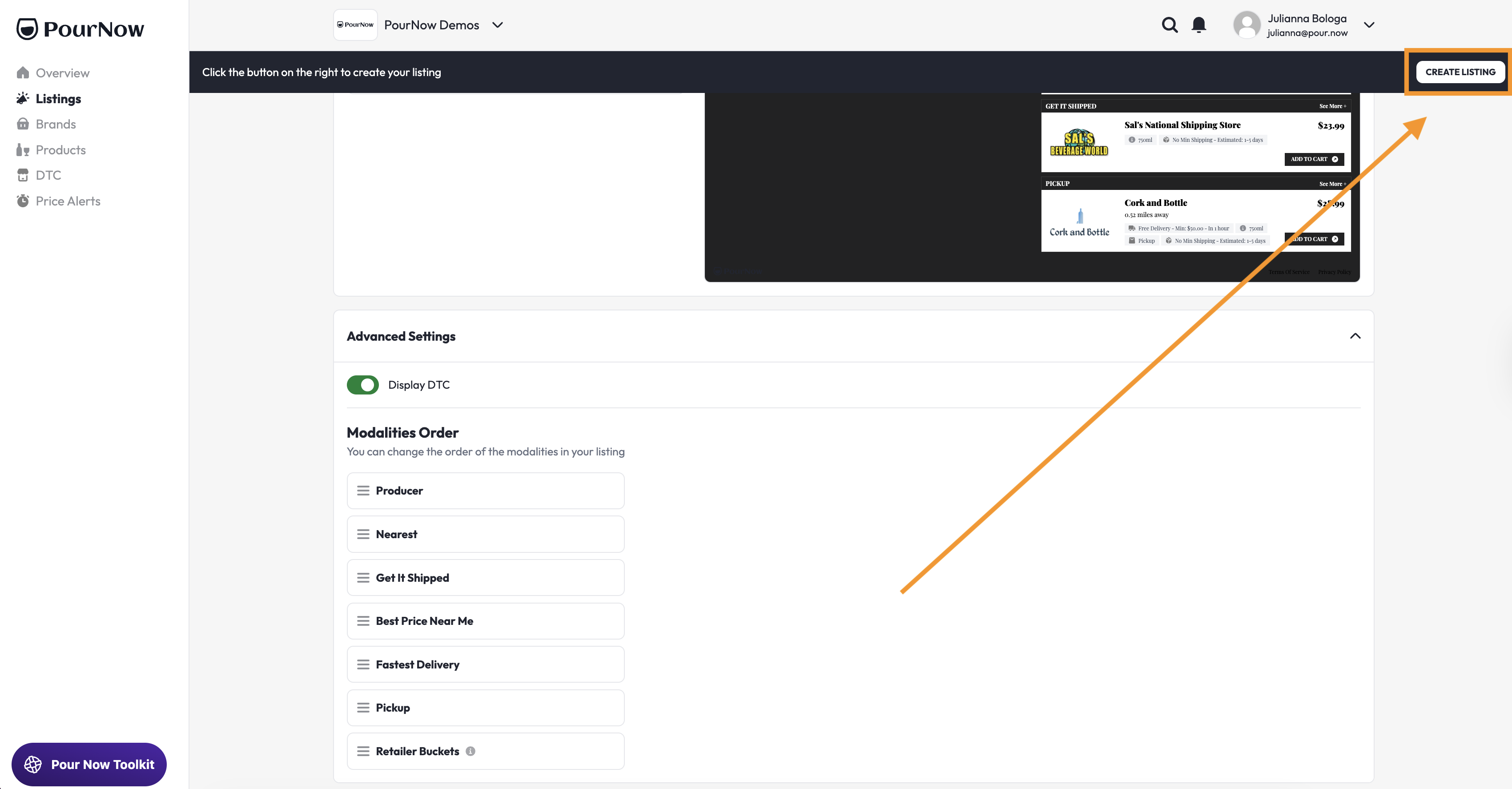
5. Finally, you'll save the Listing using the "Create Listing" button in the top right corner of the page.
Tips on choosing the best template for your Listing
- The Standard Template is best for Listings with fewer than four (4) products.
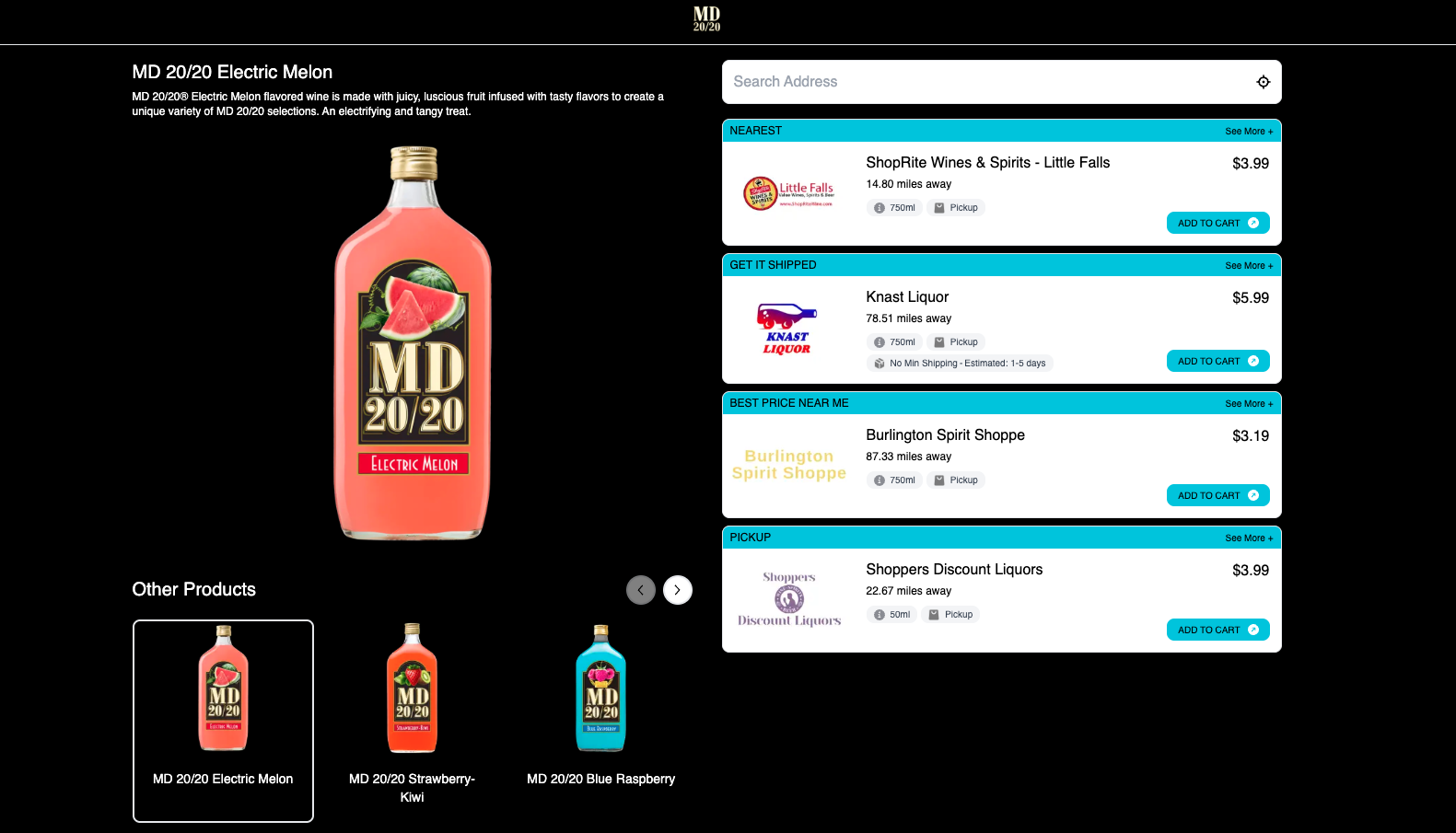
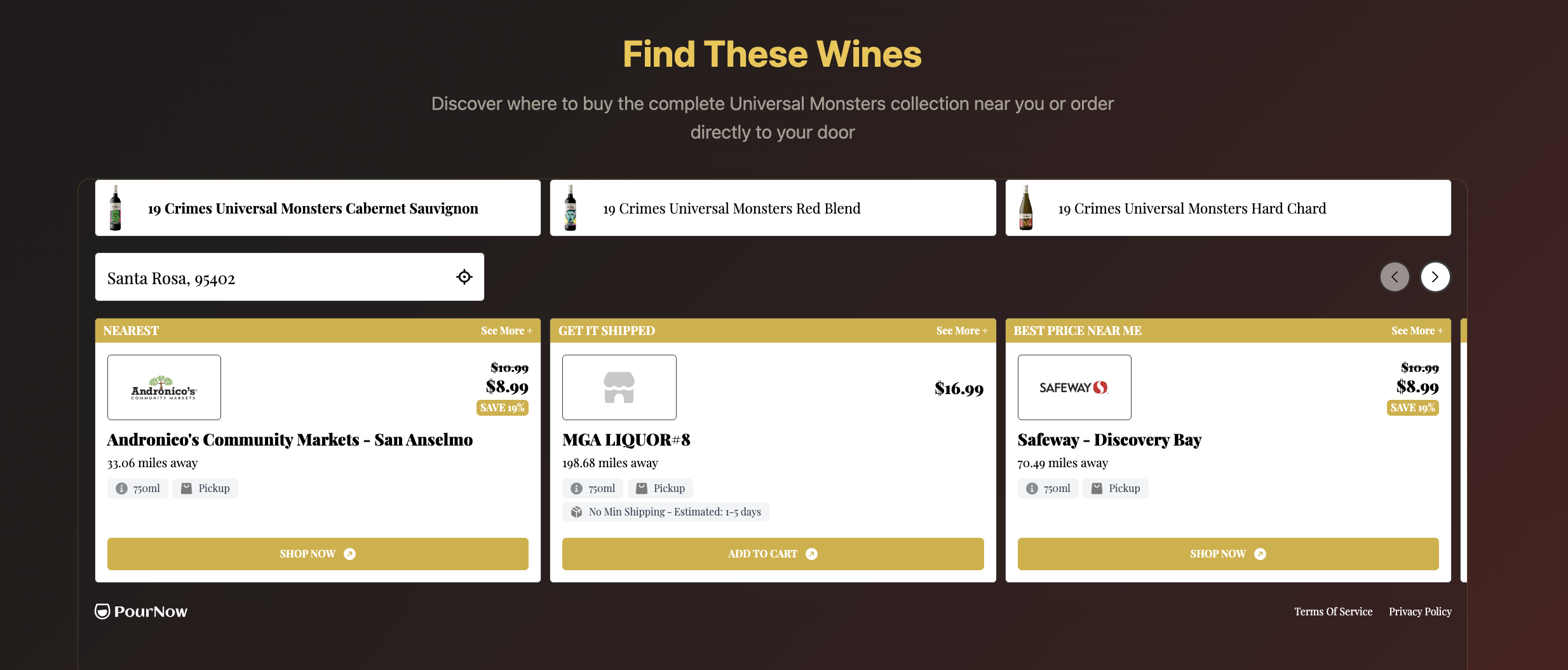
- The Product Carousel Template displays products in a carousel format at the top of your Listing. This is best when you want to show more than four (4) products.
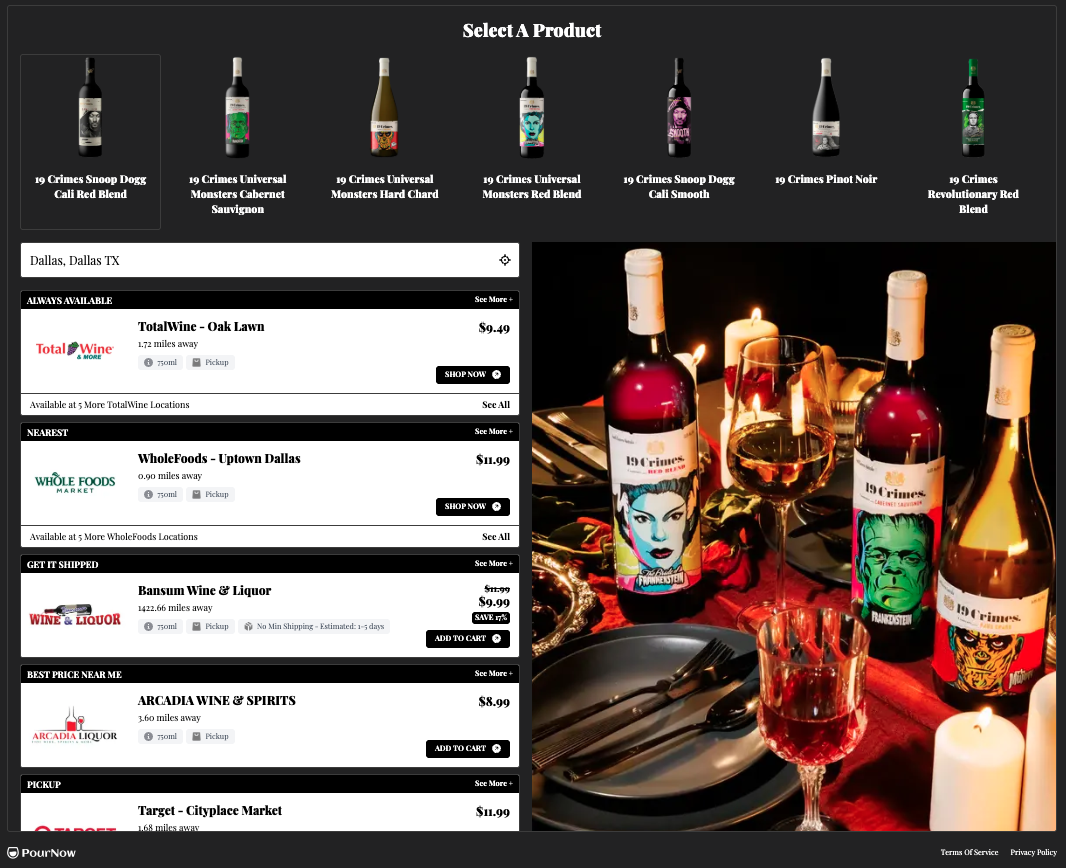
- The Full Screen Template is best when you want to show full-screen custom media for products in your Listing.
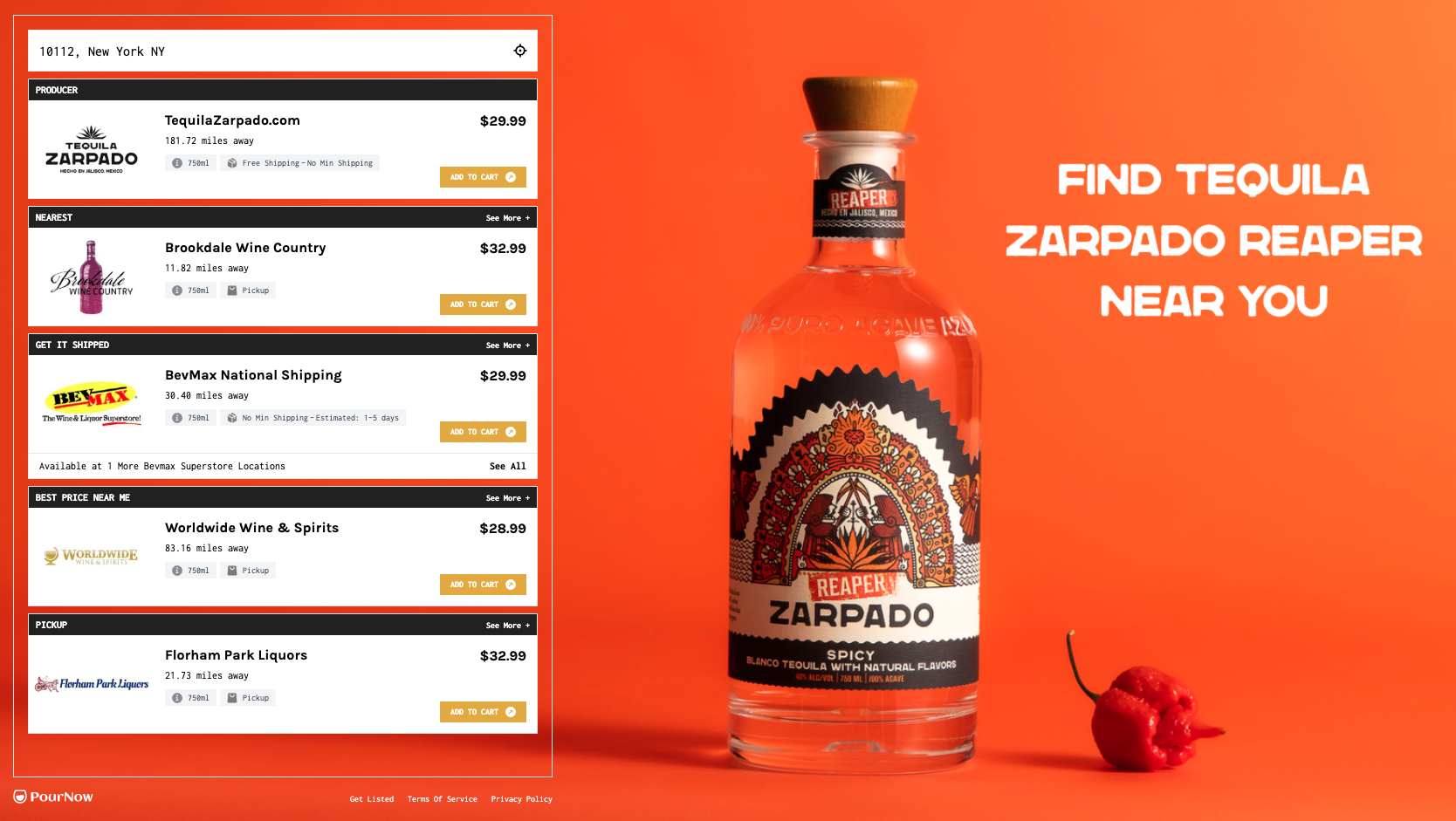
- The Product List Template displays products in a compact list. This is also best when you want to show more than four (4) products in your Listing. We don't recommend adding more than 10 products to a Listing to preserve the shopper experience and reduce demand dilution.
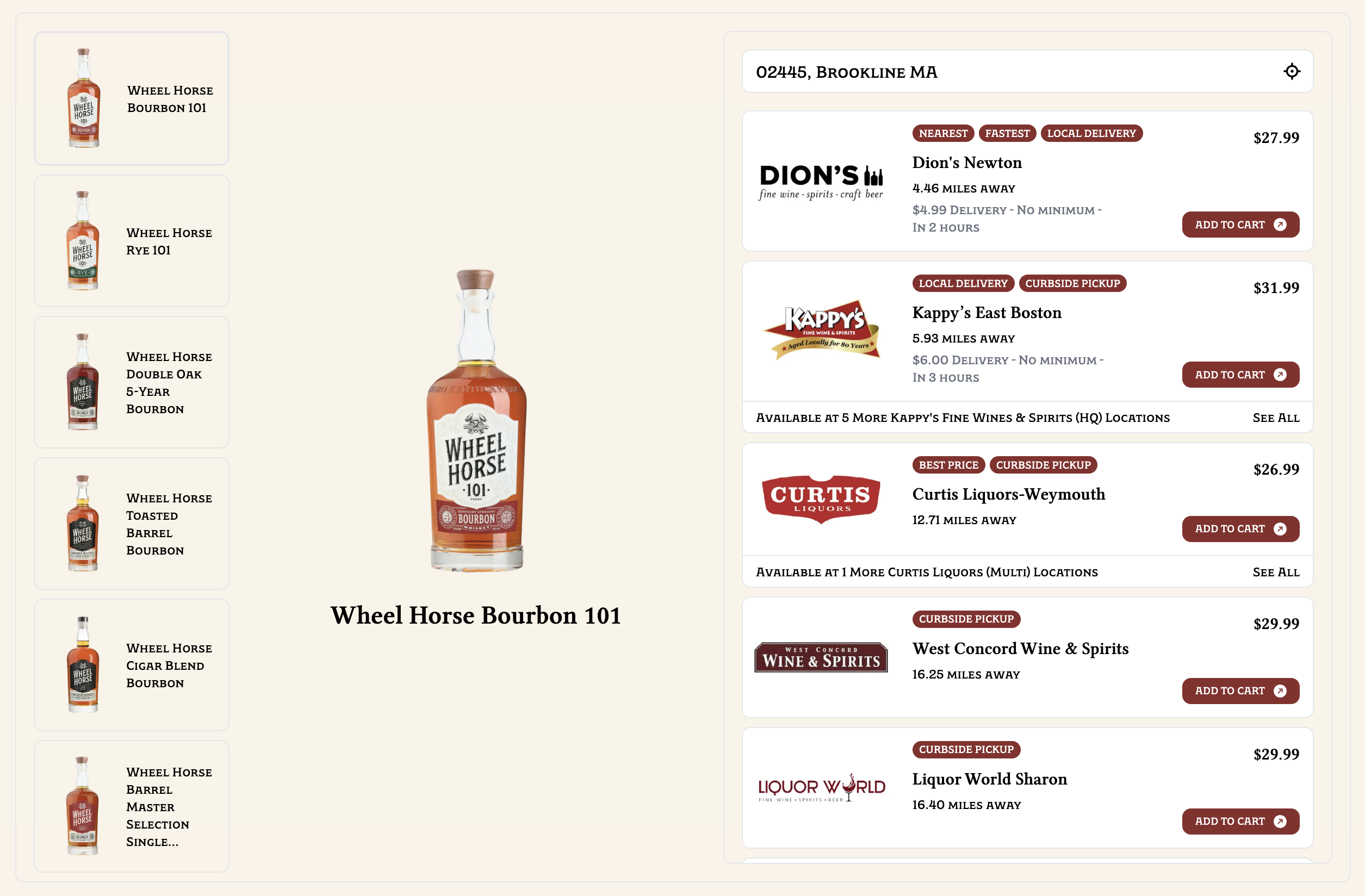
- The Headless Template can be embedded anywhere on your webpage. It shows only the Retailers List, giving you full creative control over the rest of the page.
How to: Edit a Listing
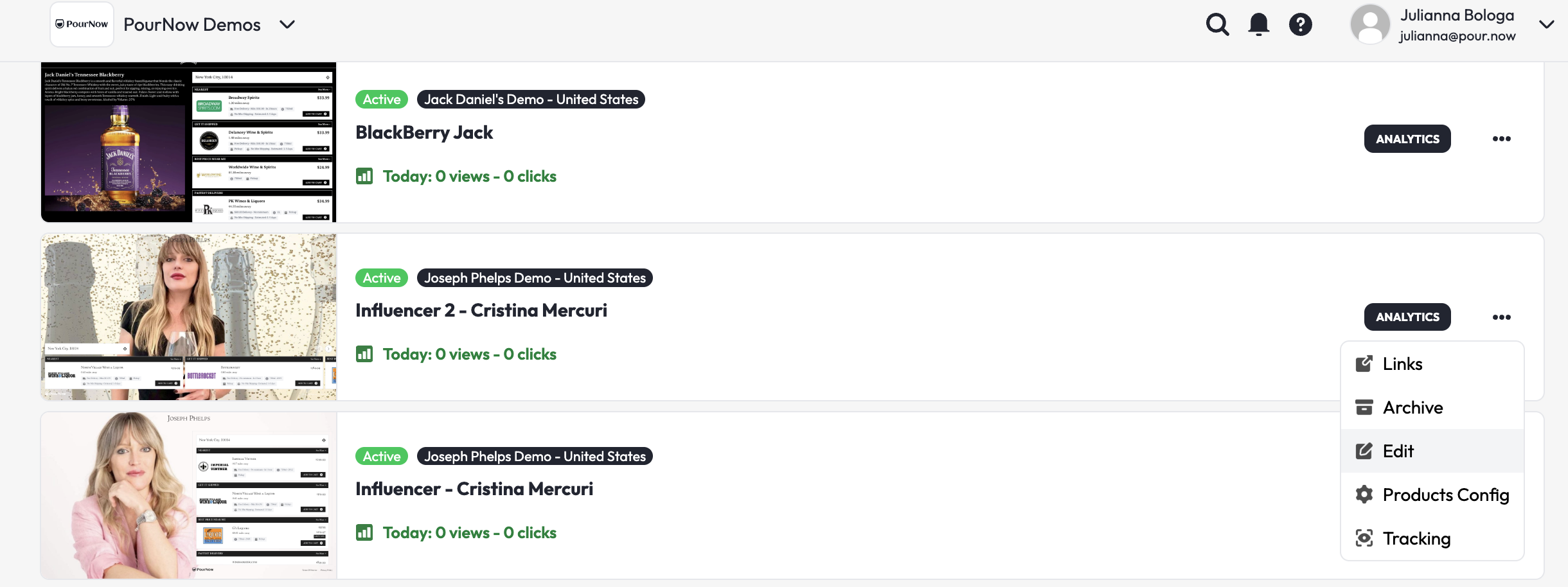
You can edit any existing Listing by clicking on the three dots on the Listing card! This is also where you can archive Listings you no longer use.
Why Listing management matters
Every Listing you create becomes a measurable conversion path. You deploy and measure a Listing through Links, which come in three forms: a URL, an embed, and a QR code. Every Link is measurable. Pour Now tracks actual revenue delivered to retail partners - data that's historically been impossible to come by. For the first time, you can demonstrate to a buyer at Total Wine or Publix exactly how much traffic and sales your brand's digital marketing drove to their stores.
Whether you embed Listings on your website, add them to paid campaigns, or use the data to support sales conversations, the ability to create, edit, and update on demand keeps your brand top of mind in a competitive market.