
Make print and in-person shoppable with a QR code
TL;DR. You can deploy every Listing Link as a QR code. Put it out into the world: on neckers, coasters, CTV ads, event signs, tasting-room cards, magazine ads, even your label, and a shopper can scan to buy from a retailer. It also measures results, so you can see how your offline moments drove digital purchase actions.
What a QR Link does
A QR code is one of the three ways a Link goes out. Someone scans it with their phone and lands on your Listing, where they pick a real store that has you in stock. Because it is a Link, every scan is measured.
Why it matters
Your offline moments - a festival, a tasting, an activation - usually end with a shopper meaning to buy later and forgetting. A QR turns that moment into a purchase while they are standing there, and it finally lets you measure the demand your offline activations created in the market.
How to do it
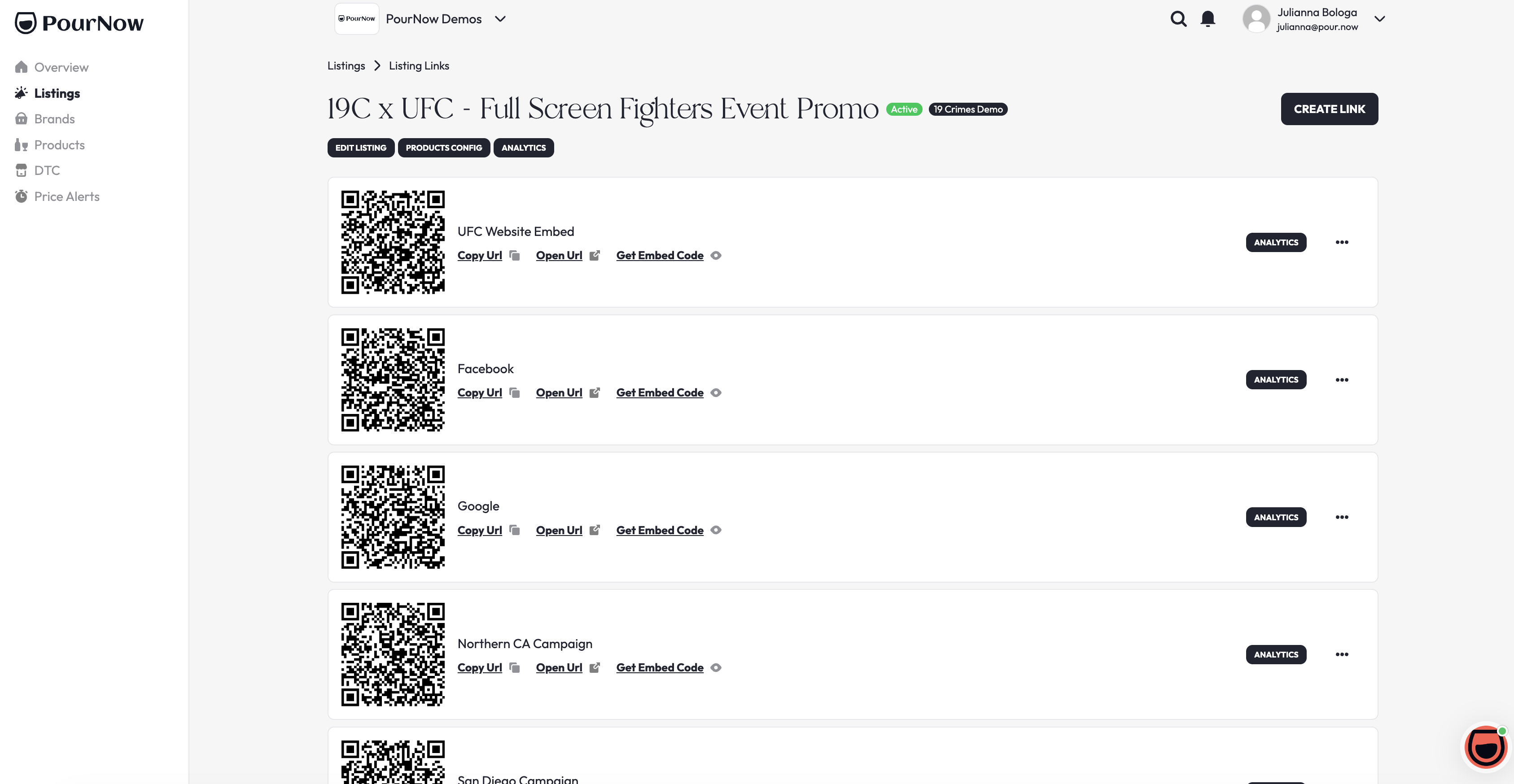
- In Pour Now, open Listings, click the three dots on the Listing card, and click Links.
- Create or pick the Link for this activation, and name it so you remember the spot, for example "Summer festival 2026."
- Download the QR code and add it to your material, near a short call to action like "scan to buy."
How to know it worked
When it's working: scanning the code opens a live Listing with nearby, in-stock retailers, and scans show up in your Analytics against that Link.
If something's off:
- The code won't scan: make sure it printed large and clear, with enough space around it.
- No data: confirm you used the QR from a Pour Now Link, not a generic one.
Need a hand?
Ask Pour in your dashboard, or open a help ticket.