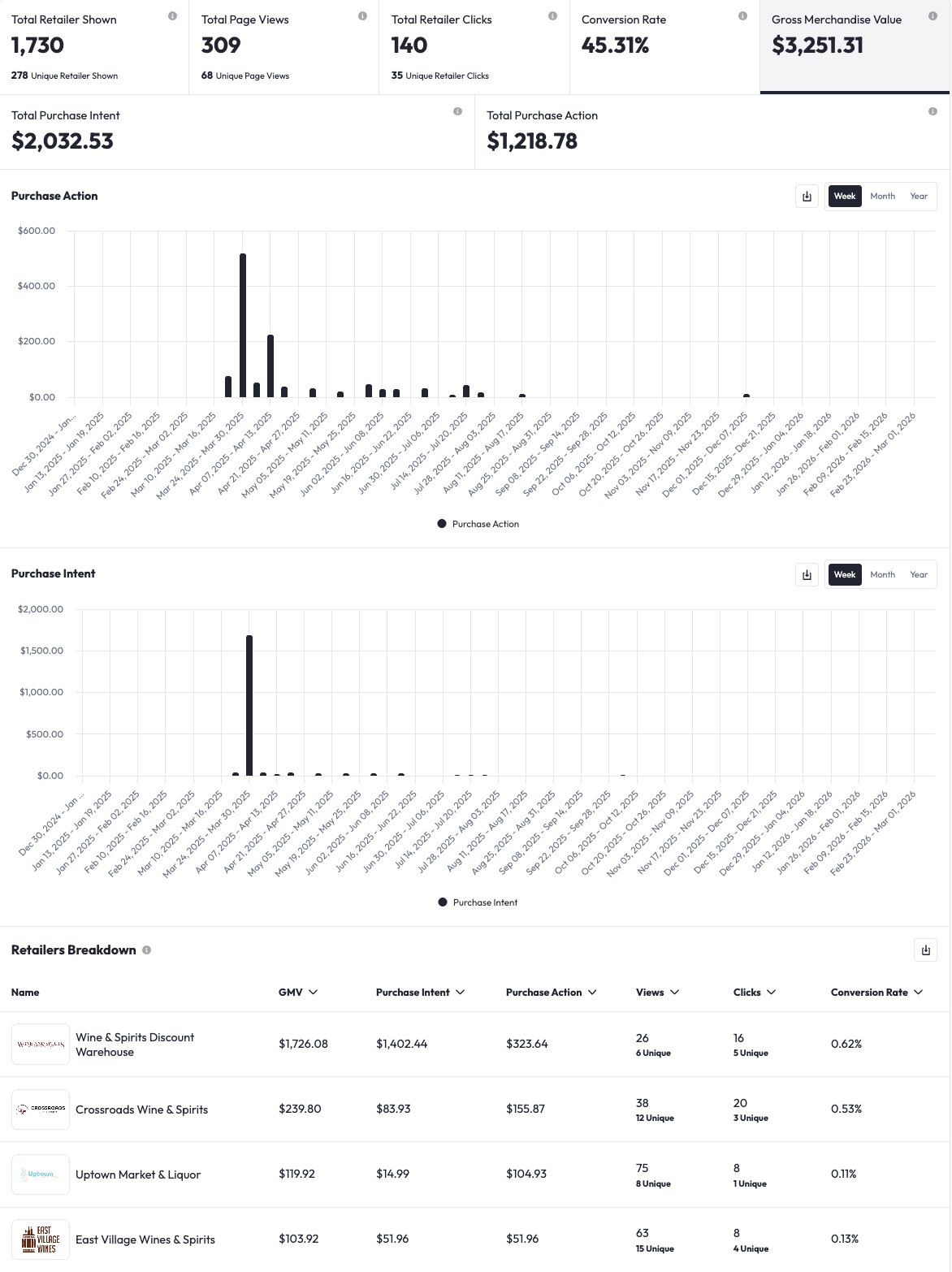
What do the Analytics show me?
We're breaking down exactly what the Listing Analytics dashboard is telling you about the impact of your marketing activities on the retailers who carry your products.
Topline Data
When you first open the Analytics dashboard for your Listing, you'll see this view.
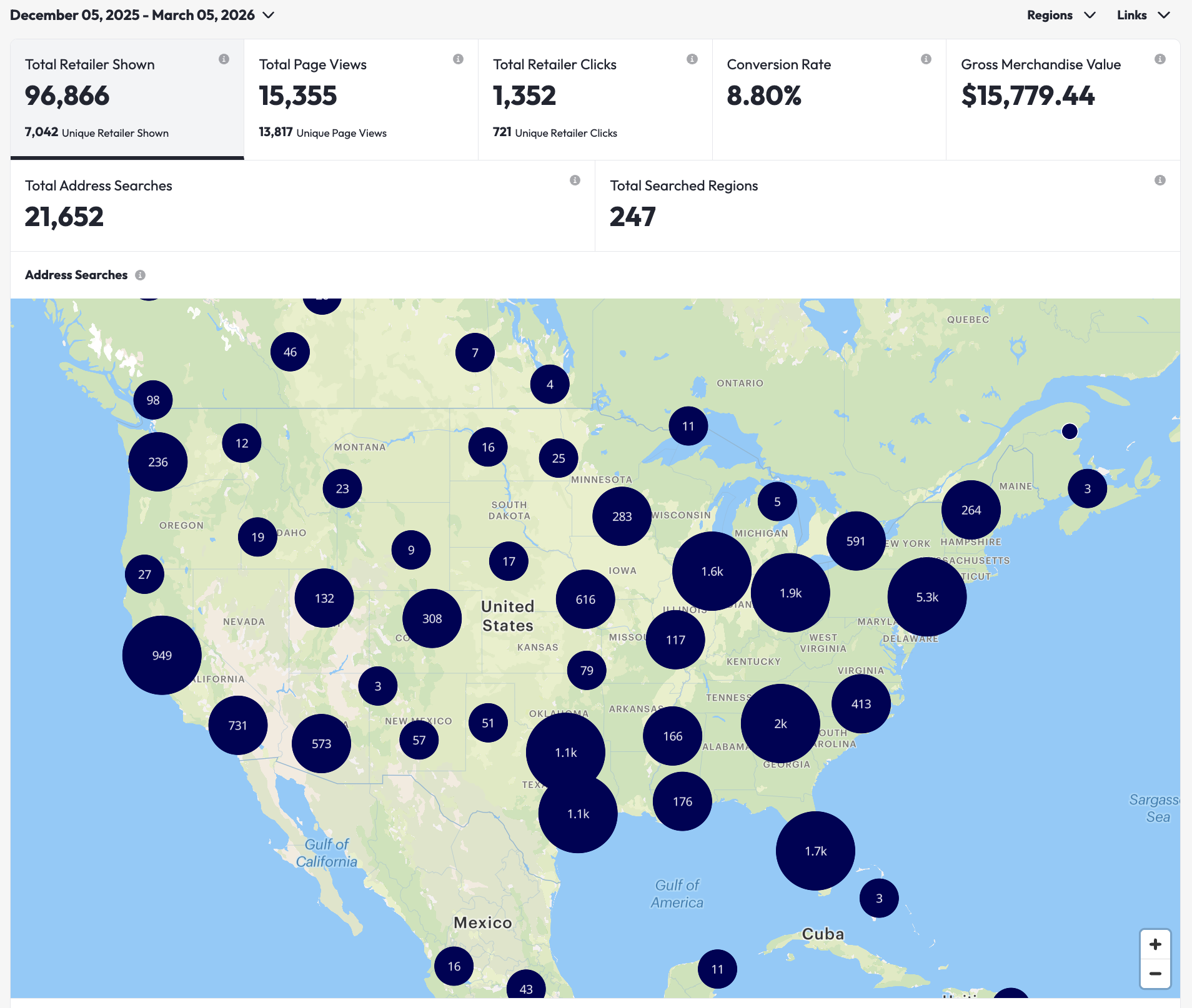 Here's what the topline data is telling you:
- Total Retailers Shown: The total number of retailers that were shown to the shoppers who interacted with your Listing. This number includes retailers that were shown to multiple shoppers.
- Unique Retailers Shown: The distinct retailers that were shown at least once to shoppers who interacted with your Listing.
- Total Address Searches: The total number of shopper addresses that were searched via the Listing address search bar.
- Total Page Views: The total number of times the Listing was viewed by shoppers, including shoppers who viewed the listing more than once.
- Unique Page Views: The distinct number of shoppers who viewed your Listing, where each shopper is counted only once.
- Total Retailer Clicks: The total number of times shoppers clicked on retailer links from your Listing, including multiple clicks by the same user.
- Unique Retailer Clicks: The distinct number of times shoppers clicked on retailer links from your Listing, counting each shopper only once.
- Conversion Rate = Total Clicks / Total Page Views.
- Gross Merchandise Value = The total dollar value of purchases passed through Pour Now Listings directly to your retailers for them to convert.
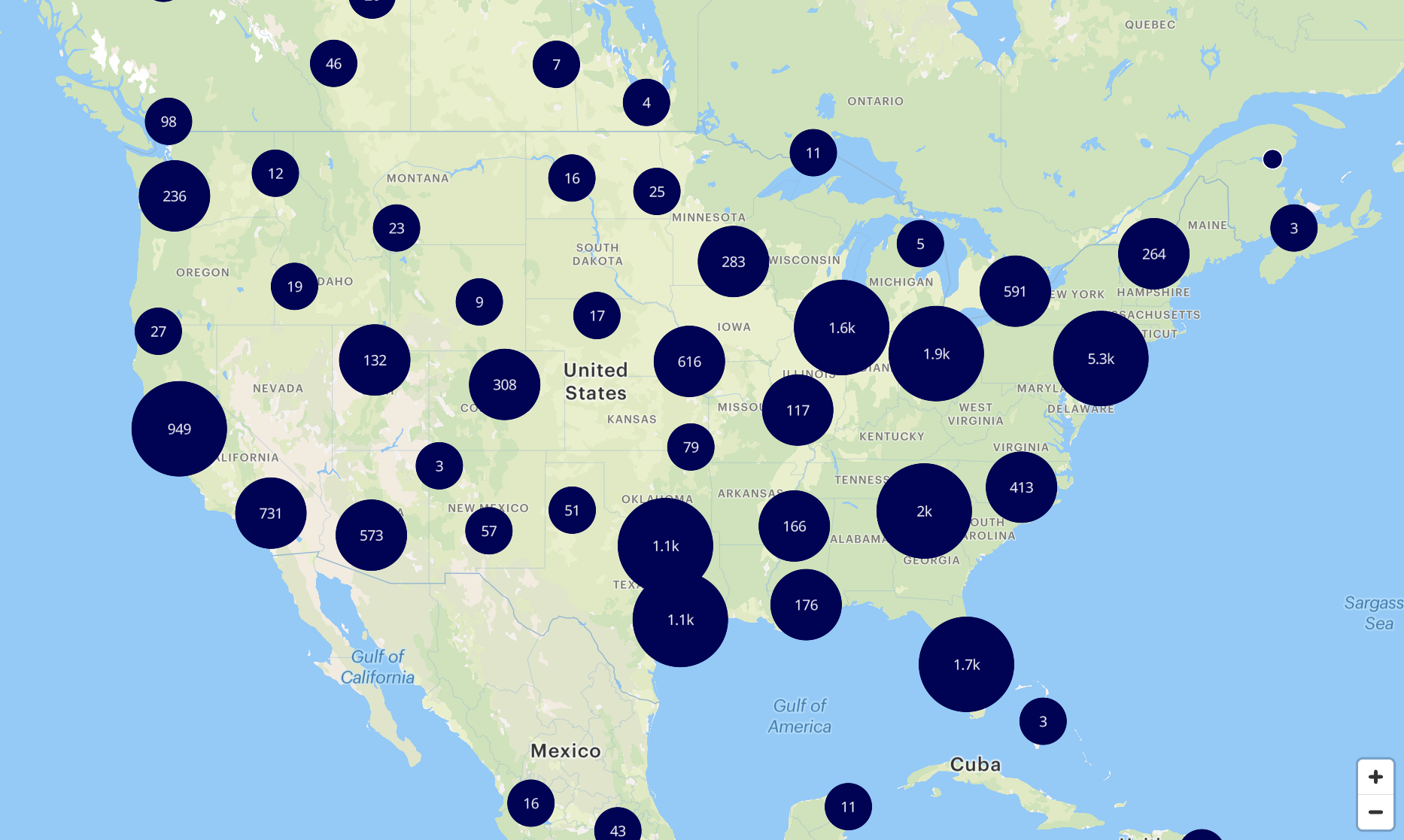
The Map
The map on the Analytics dashboard shows you every single location across the country where shoppers searched from using your Listing.
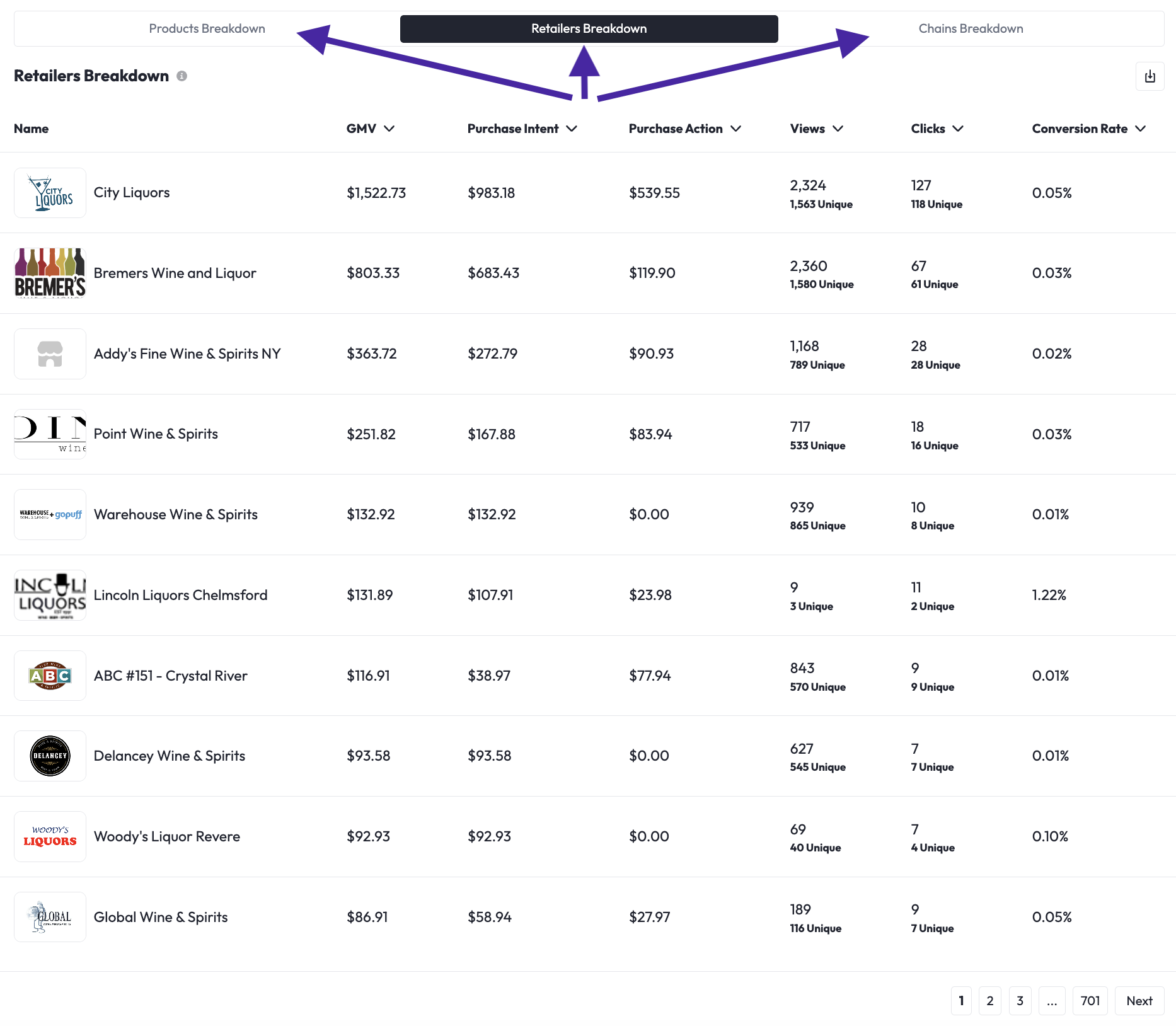
The Details
Still looking at the first tab of the dashboard (below the map), you'll see the full data breakdown by:
- Product
- Individual Retail Location
- Chain
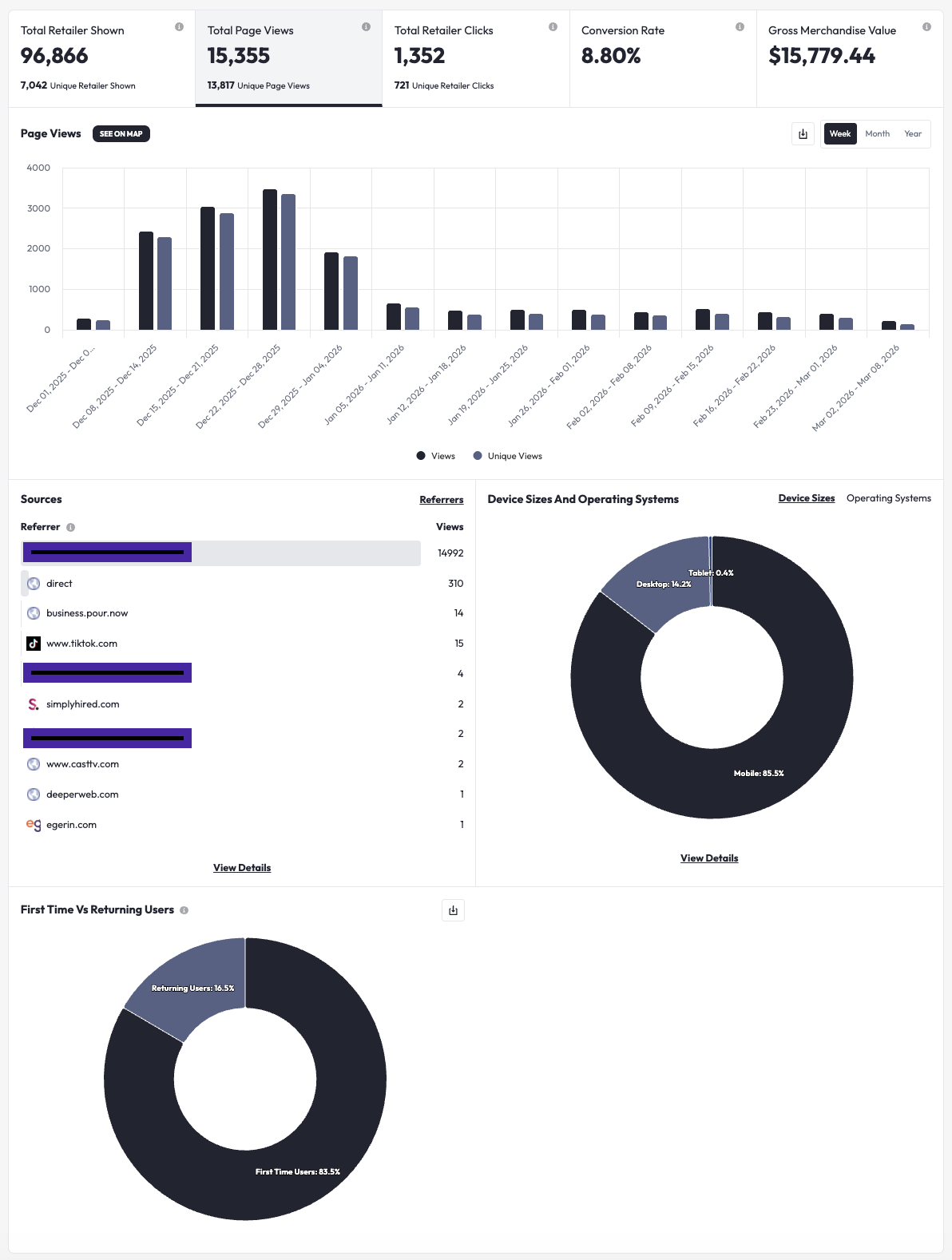
Views Breakdown
Here you can see:
- Both total and unique page views over time,
- The sources of traffic that drove shoppers to your listings
- Tip: this is especially useful to "see through" where influencers or partners are getting their traffic, so that you can leverage those sources for future campaigns!
- Certain attributes of the shoppers who viewed your listings
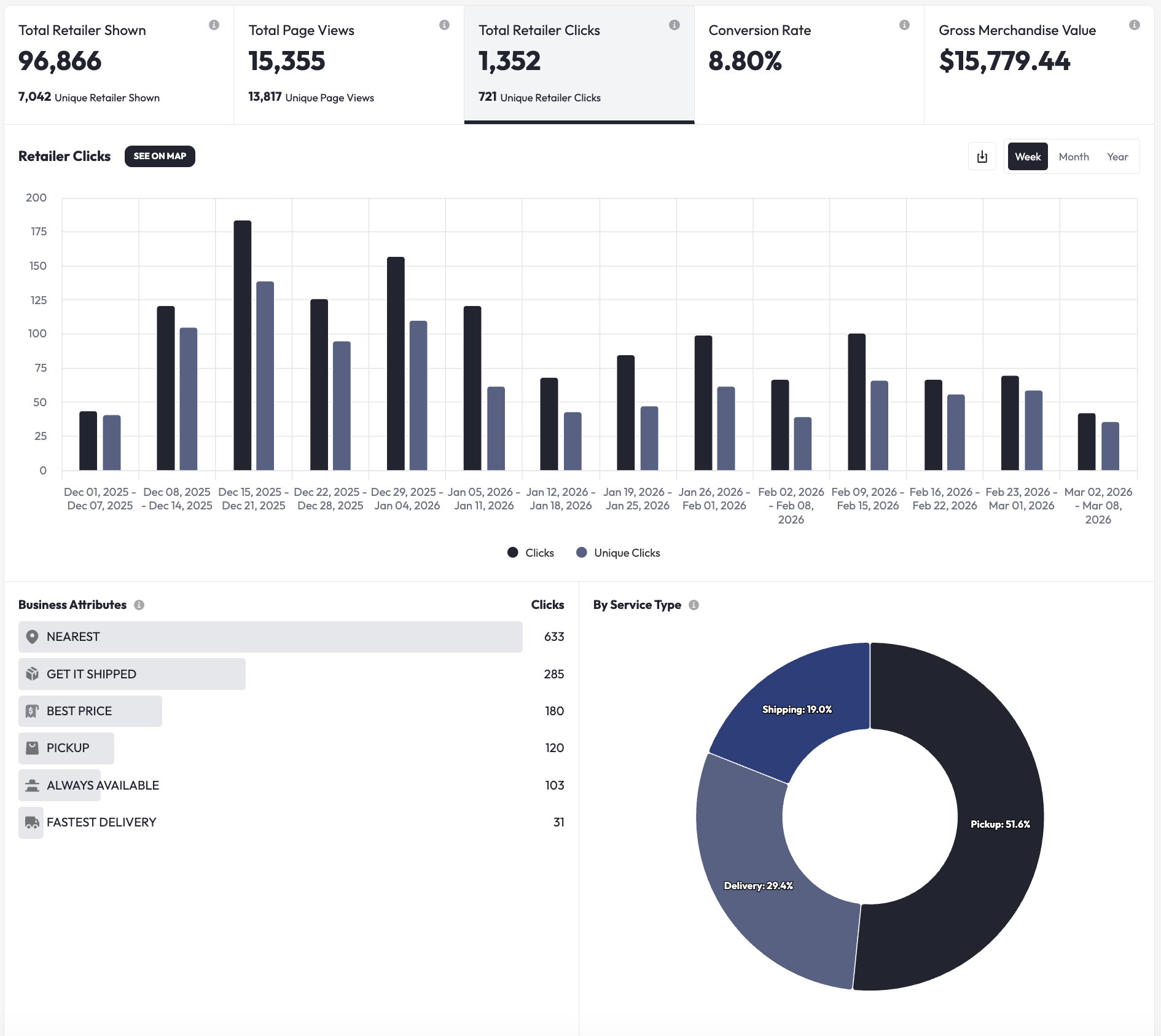
Clicks Breakdown:
Here you can see:
- Both total and unique clicks over time,
- The buying modalities that were most clicked on by your shoppers
- Tip: this is especially useful to gauge whether you achieved your marketing goals of funneling shoppers through specific paths, like using "Best Price" to flush out low prices by retailers messing with your price shoulders
GMV Breakdown:
Here you can see:
- Total GMV, Purchase Intent, and Purchase Action over time
- The breakdown of every single individual retailer to whom your marketing efforts delivered high-purchase-intent shoppers, and therefore potential sales for them to convert