Advanced Advertising Features: Tracking & Reporting Capabilities
If you’re running digital campaigns, tools like Meta Pixels, Google Tag Manager, and link-level UTMs aren’t just about measurement — they’re about tracking signals. They tell platforms like Meta who engaged, who showed intent, and who’s worth re-engaging. That’s what unlocks retargeting and smarter delivery: showing ads again to the people most likely to convert, and helping the algorithm find more people who behave like your best customers. The upside? Warmer audiences, more efficient spend, and ads that get sharper over time instead of starting from scratch every campaign.
In Pour Now, we allow enablement of Meta Pixels and Google Tags at the Listing level, plus you can add UTMs at the link level.
Enabling Metal Pixels and Google Tag Manager
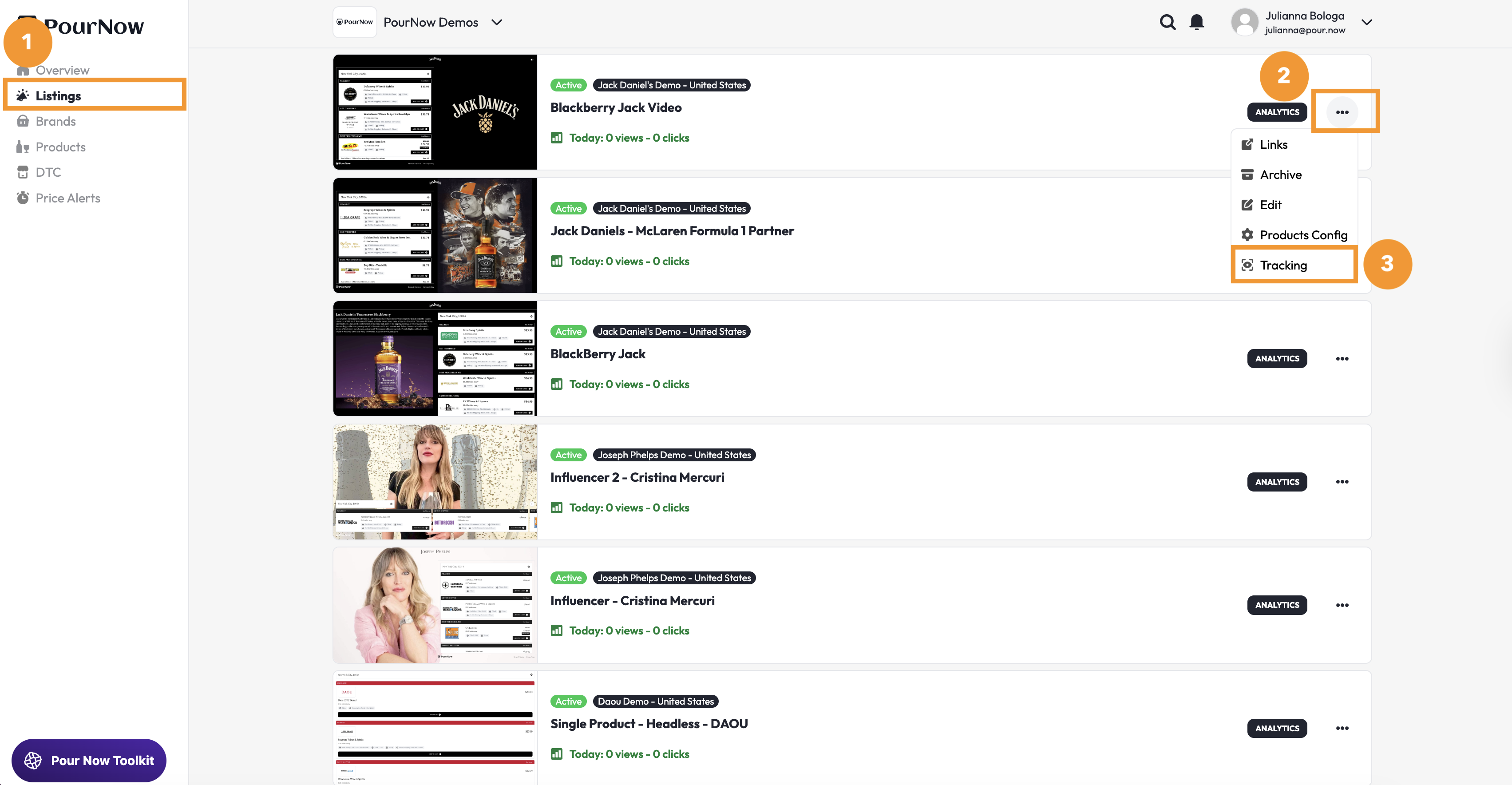
1️⃣ Navigate to Listings
2️⃣ Choose the Listing you want to enable tracking for and click the three dots on the right-hand side of the Listing card
3️⃣ Then click "Tracking"
4️⃣ Enable Metal Pixels and Google Tag Manager
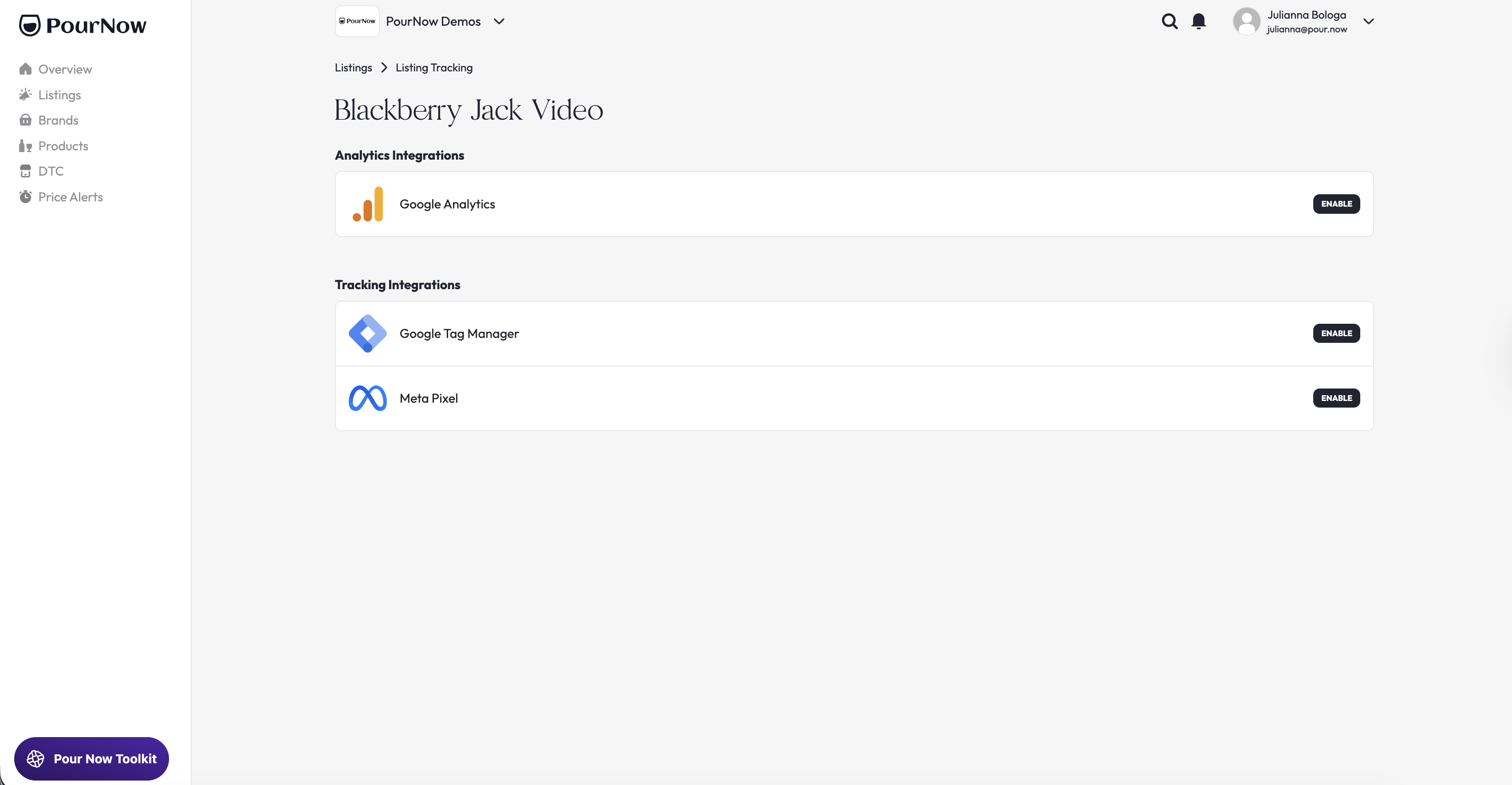
*Enabling Meta Pixels through Google Tag Manager:
If you have your Listing embedded into a webpage or your brand website and want to use Meta Pixels to optimize a campaign, you'll need to enable advanced tracking by enabling Meta Pixels through Google Tag Manager due to website security settings. GTM essentially acts as the middleman that fires all your tracking tools, including Meta Pixel.
The key step is to have your developer configure 1–2 conversion events in Google Tag Manager (GTM) on the Listing (and fire Meta Pixel events from GTM). Once those events are firing, you can create Custom Conversions in Meta based on them. On the Pour Now side, there’s nothing else required beyond the GTM container being enabled.
Here's what your develop should build:
- Trigger: click on retailer CTA elements on the listing (buttons/cards)
- Tags:
- GA4 Event tag → retailer_click
- Meta Pixel tag → Lead (or RetailerClick)
- QA: use GTM Preview + Meta Pixel Helper to confirm events fire once per click and include the parameters
From a Meta standpoint, the simplest and most effective setup is: Fire a standard Meta “Lead” event when someone clicks a retailer button. On the analytics side, still name the GA4 event "retailer_click", So conceptually: Retailer Click = Lead (inside Meta). For additional information, contact help@pour.now.
Activating UTMs
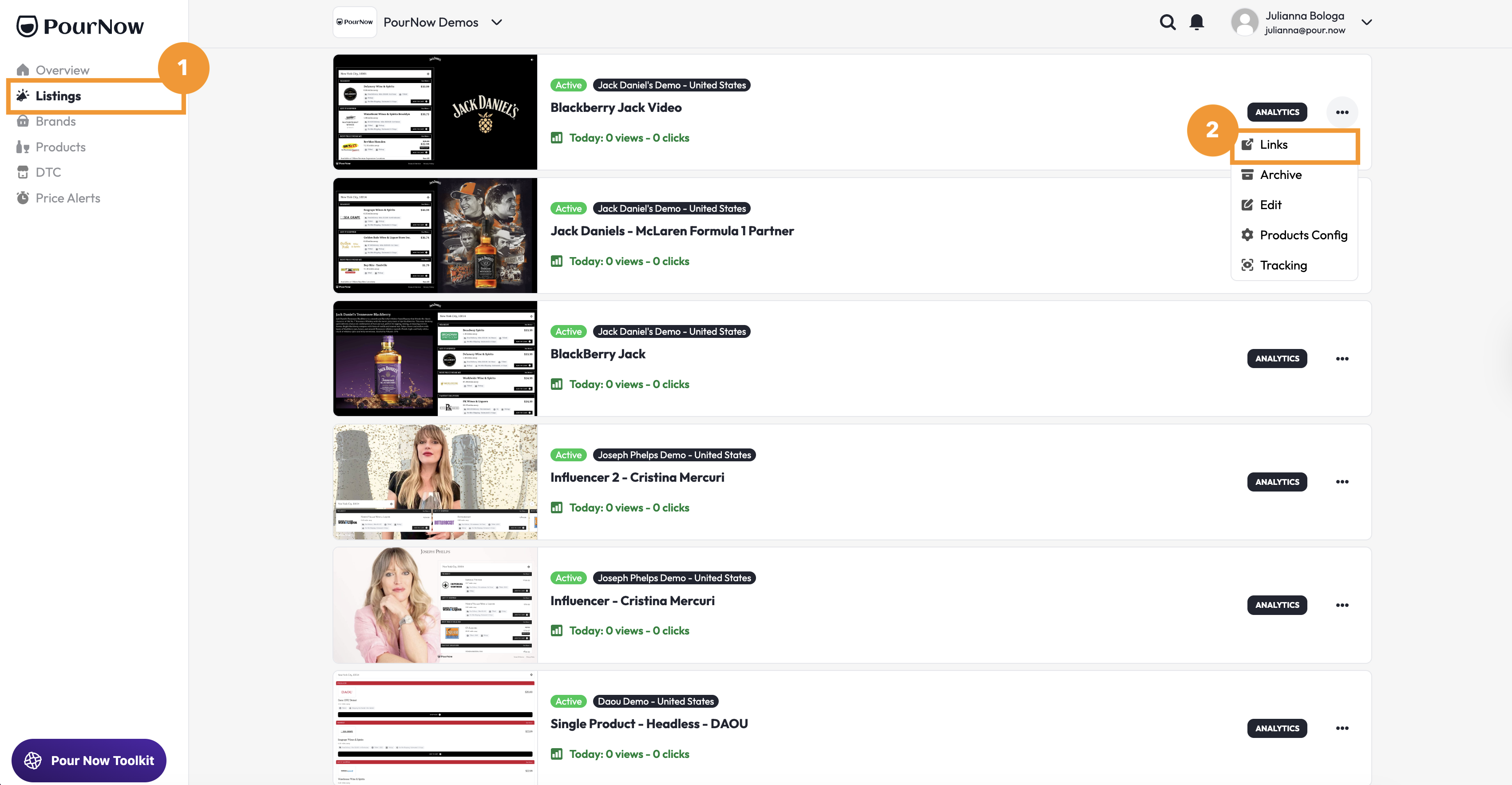
1️⃣ Navigate to Listings
2️⃣ Choose the Listing you want to enable UTMs for and click the three dots on the right-hand side of the Listing card, then click "Links"
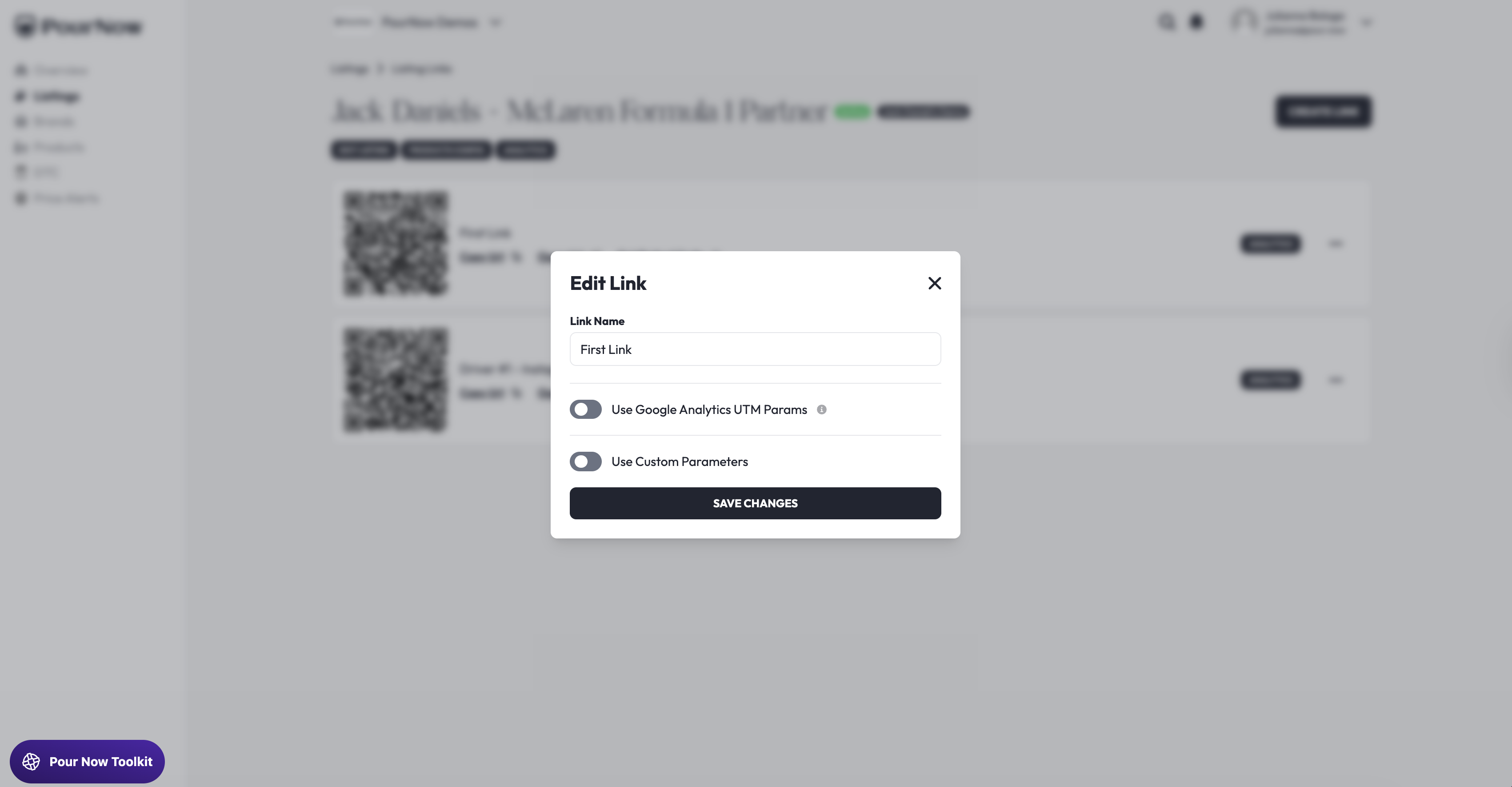
3️⃣ Choose the Link you want to activate UTMs for and click the three dots on the right-hand side of the Link card, then click "Edit".
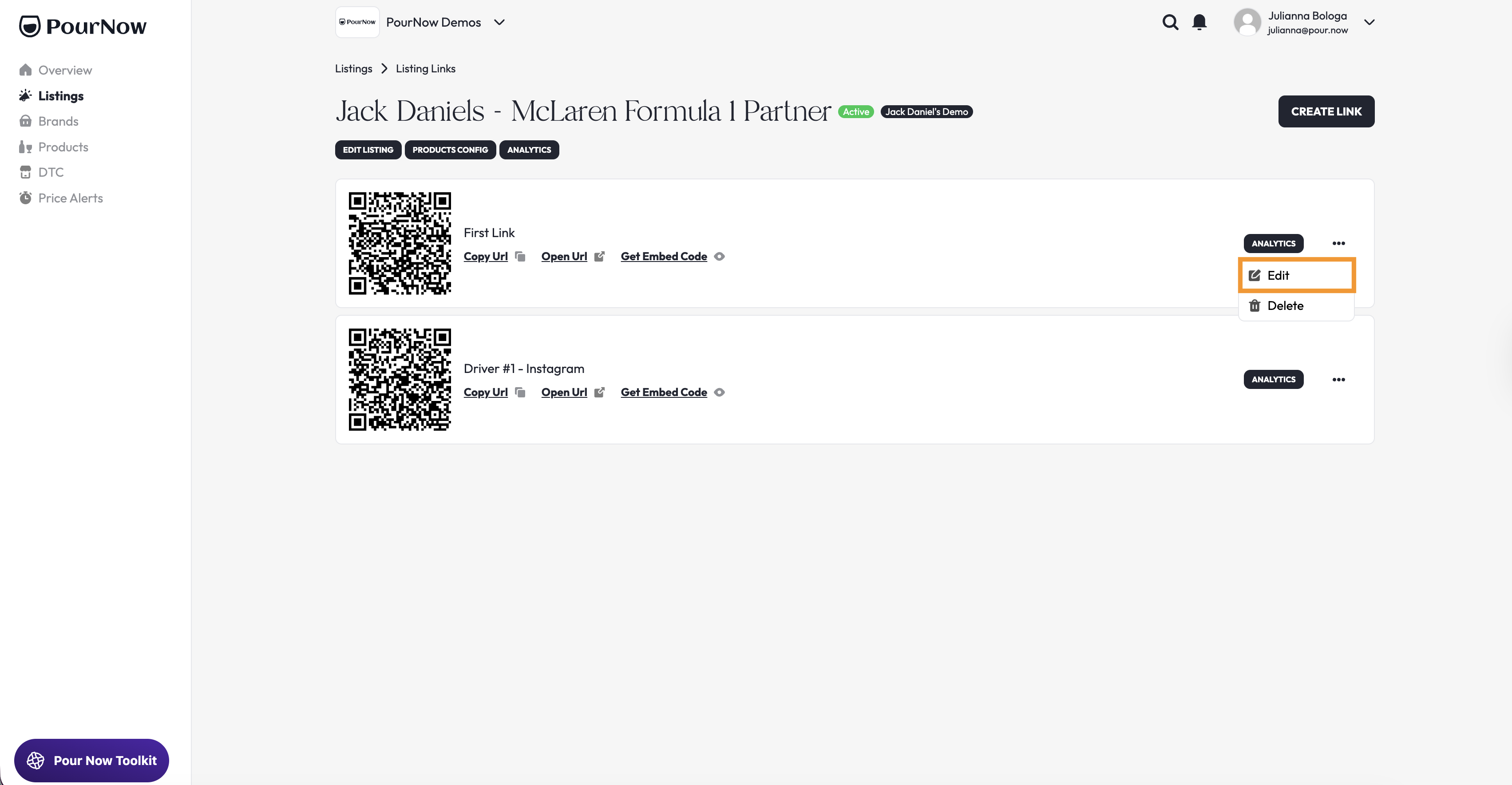
4️⃣ Toggle UTMs (Google Analytics or Custom) and add your campaign information